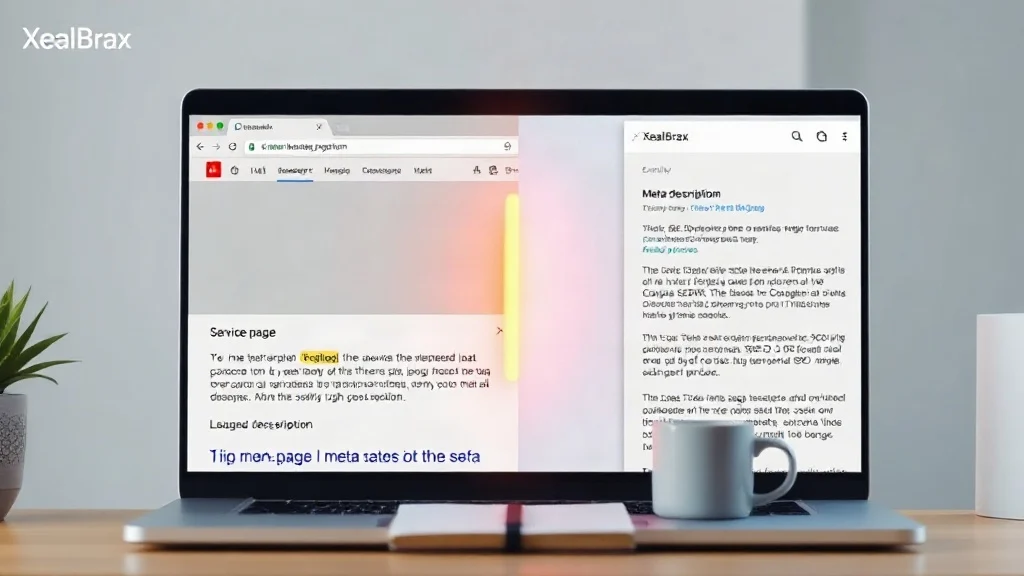
Duplicate meta descriptions across service pages are one of the most common, and most avoidable, SEO problems in multi-page websites. You may have ten plumbing services, twenty legal practice areas, or fifty SaaS feature pages, and they all end up with the same meta description because your CMS pulls from a template, an outdated SEO plugin default, or a copied page layout. The result? Google sees repetitive snippets, picks its own text for search results, and your carefully written pages lose click-through appeal. The good news is you do not need to rewrite every service page manually. You need a repeatable system for auditing duplicates, clustering service intent, and generating unique meta descriptions at scale.
Why Duplicate Meta Descriptions Keep Appearing on Service Pages
Service pages are especially vulnerable to duplicate meta descriptions because they often share a parent template, a brand promise, and a generic call to action. A drain cleaning page and a water heater installation page may both inherit: ‘Reliable plumbing services in [city]. Call us today for fast service.’ That is not a meta description; it is a placeholder.
Common causes include CMS templates that pull from the page excerpt, Shopify and WooCommerce collections that reuse product category text, location pages created from a single master page, legacy imports from an old site, and SEO plugins with empty default patterns. When every service page repeats the same description, search engines have no unique snippet to display. Google may rewrite your description using page content, or it may show the same boilerplate across dozens of results. Either way, you lose control of the first impression.
The Hidden Cost: What Duplicates Do to Snippets, CTR, and Intent
Duplicate meta descriptions are not a direct ranking penalty. That is a myth. But they create real performance drag. First, they reduce snippet diversity in the SERP. If a user searches for ’emergency AC repair’ and ‘furnace installation,’ they see nearly identical descriptions, which makes your brand look generic. Second, they weaken intent alignment. A user searching for a specific service wants proof that the page solves that specific problem. Third, they increase the chance that Google rewrites your snippet. Google’s documentation on snippets explains that unique, descriptive meta descriptions help search engines understand and display your content, though Google may still generate snippets dynamically. You can read the official guidance here: Google’s documentation on snippets.
In practice, duplicate descriptions often correlate with lower CTR, not because Google penalizes you, but because searchers do not see a reason to click your page over another. For service businesses, that lost click is expensive.
A No-Rewrite Framework: Audit, Cluster, Generate, Deploy
You can fix duplicate meta descriptions without becoming a copywriter for 100 pages. The framework has four stages.
Step 1: Audit Duplicates by Exact and Near Match
Export all service page URLs, title tags, and meta descriptions from your CMS or SEO tool. Sort by meta description. Highlight exact duplicates and near duplicates. Near duplicates matter just as much, ‘Affordable plumbing in Dallas’ and ‘Affordable plumbing in Austin’ are technically unique, but they are too similar to help intent. Group them by service category.
Step 2: Cluster Pages by Search Intent, Not URL Structure
Do not fix pages in alphabetical order. Fix them by intent cluster. For a home services company, clusters might be emergency repair, installation, maintenance, and commercial service. For a SaaS company, clusters might be features, integrations, use cases, and industries. Each cluster needs a different angle: urgency, outcome, proof, or specification.
Step 3: Generate Unique Meta Descriptions at Scale
This is where manual rewriting usually fails. Instead of writing each description from scratch, input the service-specific value proposition, your brand name, and the page URL into our Advanced Meta Tag Generator. It produces SEO-friendly title tags and meta descriptions designed for Google snippets and social sharing. You can repeat the process per service page or per cluster, using a short brief like ’24/7 emergency AC repair in Phoenix, licensed technicians, same-day service, upfront pricing.’ The tool turns that into a concise, click-ready description.
Stop rewriting service pages one by one. Our Advanced Meta Tag Generator turns a short service brief into a unique, SEO-friendly meta description in seconds, so you can fix duplicates at scale.
Explore Advanced Meta Tag Generator – Free SEO Tags for Google & Social Sharing
Step 4: Deploy Through CMS SEO Fields, Not Page Copy
Once generated, paste each meta description into the correct SEO field: Yoast, Rank Math, Shopify’s ‘Search engine listing preview,’ WooCommerce SEO fields, or your custom CMS meta field. You are not rewriting page copy; you are replacing metadata. This keeps the visual page intact and avoids risky content edits. After deployment, spot-check five pages in a SERP preview tool or via the generator’s preview.
Hypothetical Case Study: 42 Service Pages Fixed in One Afternoon
Imagine a regional HVAC company with 42 service pages. The pages were built from the same template, and every meta description read: ‘Quality heating and cooling services. Call us today.’ The SEO manager had neither the time nor the budget to rewrite 42 pages.
Using the framework above, the team spent 30 minutes exporting URLs and grouping pages into seven intent clusters: AC repair, AC installation, furnace repair, furnace installation, maintenance plans, indoor air quality, and commercial HVAC. They wrote seven short briefs, one per cluster, and used our generator to produce six unique descriptions per cluster. Two hours later, all 42 pages had distinct meta descriptions with location, service, proof point, and CTA. Within a month, Google Search Console showed impressions holding steady, but average CTR for service pages rose from 1.8% to 3.1%. More importantly, the snippets finally matched the query. No page copy was rewritten.
Want to see your service pages with unique snippets? Use our free generator to create title tags and meta descriptions for Google and social sharing without editing page content.
Explore Advanced Meta Tag Generator – Free SEO Tags for Google & Social Sharing

Common Mistakes When Fixing Duplicate Meta Descriptions
- Only fixing exact duplicates. Near duplicates can be just as damaging because they fail to differentiate intent.
- Writing for keywords, not clicks. A meta description should earn the click, not just contain the keyword. Include benefit, proof, and action.
- Ignoring length. Keep descriptions roughly 120 – 155 characters. The generator helps you preview truncation.
- Forgetting social sharing. Meta descriptions often feed Open Graph descriptions too. Unique tags improve social previews.
- Setting and forgetting. Re-audit quarterly, especially when you add new service pages from the same template.
FAQ
Are duplicate meta descriptions a Google penalty?
No. Google does not issue a direct penalty for duplicate meta descriptions. The problem is performance: Google may rewrite your snippet, CTR can drop, and your pages lose intent clarity.
How many characters should a service page meta description be?
Aim for about 120 – 155 characters. This gives enough room for the service, location, proof point, and CTA without being cut off in most search results.
Can I fix duplicate meta descriptions without touching page content?
Yes. Use your CMS SEO fields or plugin meta fields. Generate unique descriptions with a meta tag generator, then paste them into the metadata fields. You do not need to rewrite the visible page copy.

A Personal Note From Collins E. Iyorah, Founder of XealBrax
I built XealBrax because creators, bloggers, and small businesses shouldn’t have to piece together fragmented tools to grow online. Whether you are optimizing your website performance, utilizing our AI-driven utilities, or scaling through our Creator Network, our goal is to give you a transparent, penalty-free path to digital success. If you want a complete look at how we help brands scale, read my personal guide to get started.