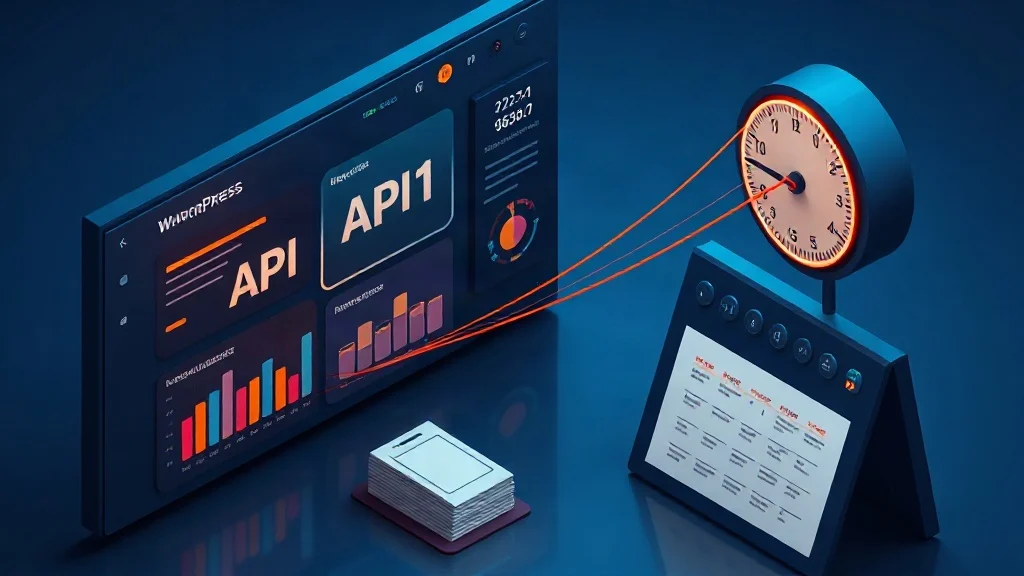
Publishing at scale on WordPress usually breaks in one of two places: the content pipeline or the finance spreadsheet. A team builds a promising AI workflow, then discovers that every article carries subscription credits, seat expansion, image add-ons, schema plugins, and an orchestration layer that reprices the underlying model API. The result is predictable: content velocity gets capped by vendor pricing instead of editorial demand. The structural fix is not another all-in-one SaaS platform. It is a BYOK workflow, bring your own DeepSeek and Fal.ai keys, scheduled through WordPress itself with WP-Cron, so you pay model providers directly and automate publishing without per-word markups. This is the model behind the XealBrax BYOK AI auto-blogging engine, and it is why we focus on free technical SEO and web engineering tools rather than recurring content tolls.
Stop renting your content engine. XealBrax connects your own AI keys so bulk WordPress publishing runs without per-word SaaS markups.
Explore Free Technical SEO & Web Engineering Tools | XealBrax
The Real Cost of SaaS Content Pipelines
A typical SaaS content platform looks harmless at entry level: a monthly plan, a few hundred article credits, one or two seats. Then the hidden cost architecture appears. You need more seats for editors. You need image credits for featured media. You need a schema add-on for JSON-LD. You need a queue upgrade to publish more than a few posts daily. Meanwhile, the platform is calling model APIs on your behalf and reselling those tokens inside its credit system. The raw inference cost may be small, but the orchestration layer turns it into a recurring tax.
We diagnose this as a workflow ownership problem, not a tooling problem. If the vendor controls the API key, the prompt templates, the publishing queue, and the post metadata, you cannot optimize the unit economics. A hypothetical agency paying $299 per month for 50 AI articles may still spend another $150 on image credits, $99 on schema automation, and $79 on extra seats. The same output can often be produced by paying DeepSeek and Fal.ai directly, scheduling posts with WP-Cron, and validating schema inside WordPress. The markup is not for intelligence; it is for access.
What BYOK and WP-Cron Actually Change
BYOK means bring your own key. Instead of buying credits from a content SaaS, you create provider accounts, generate API keys, and connect them to a WordPress automation layer. You pay for usage at the provider rate. You can swap models, revoke keys, set spend limits, and keep prompt logic portable. That is the opposite of vendor lock-in. With a BYOK engine such as the one offered through XealBrax, the WordPress site remains the publishing system of record; the AI provider is just an upstream service.
WP-Cron is WordPress’s native scheduling system. It is not a true server daemon; it is triggered by site traffic and internal events. For bulk publishing, that distinction matters. Low-traffic sites may need a real server cron to hit wp-cron.php reliably. But for many content operations, WP-Cron is enough to process a controlled queue: generate drafts in batches, retry failed jobs, publish approved posts at set intervals, and attach schema after each article is created. The official WordPress Cron API documentation explains how scheduled events are registered and why long-running tasks should be chunked rather than forced into one request.
Step 1: Prepare WordPress for Bulk AI Publishing
Before touching API keys, harden the publishing environment. Use a staging clone for the first campaign, because bulk automation amplifies mistakes. Define a dedicated editor role for the automation account, and restrict it to creating drafts or pending posts rather than publishing directly. Establish a slug policy, category map, internal-link inventory, image ALT conventions, and required schema fields. If your site uses WooCommerce, Shopify, Amazon, or eBay catalog data, make sure AI product listing optimization rules are separated from blog content rules so the two workflows do not contaminate each other.
Next, audit plugin conflicts. Security plugins can block REST requests; caching plugins can interfere with scheduled jobs; SEO plugins may duplicate schema. Decide which system owns canonical tags, Open Graph metadata, and JSON-LD. We recommend generating article-level schema in the automation layer, then validating it against the rendered page. Finally, set a batch size your server can handle. If each article requires a long model response, image generation, and schema validation, schedule smaller batches every few hours instead of pushing hundreds of posts in one cron event.
Step 2: Connect Your Own AI Keys Without Hidden Fees
Start with text generation. Create a DeepSeek API key, store it in WordPress configuration or an environment variable, and never paste it into a post or theme file. Connect the key to your BYOK automation engine and run one test article through a staging queue. Review the output for factual claims, heading hierarchy, internal-link opportunities, and meta-description quality. If the article passes, lock the prompt template and move to images. Fal.ai can handle featured-image generation, but you should enforce dimensions, file naming, ALT text, and compression before the media file reaches the library.
The operational advantage is transparency. You can see provider usage, set monthly limits, and rotate keys if a campaign ends. You are not buying opaque article credits. You are paying for tokens and image generations while using free technical SEO and web engineering tools for orchestration. That is the core economic shift: content volume scales with provider pricing, not SaaS plan tiers.
Automate the queue, not the invoice. XealBrax gives WordPress teams a free BYOK path for bulk AI publishing, WP-Cron scheduling, and JSON-LD schema without AI markups.
Explore Free Technical SEO & Web Engineering Tools | XealBrax
Step 3: Design a Bulk Campaign That Does Not Spam Search
Bulk publishing fails when volume outruns relevance. Build topic clusters, not disconnected articles. Each cluster should have a pillar page, supporting posts, defined internal links, and a unique search intent. Use the Advanced Meta Tag Generator in XealBrax to standardize title tags, meta descriptions, and social metadata before articles enter the queue. Schedule publication in realistic cadences, perhaps five to twenty posts per day depending on site authority, and require preview approval for the first batch. Add a duplication check so regenerated jobs do not create near-identical slugs or cannibalize existing pages.
For e-commerce sites, keep blog automation separate from product listing generation. The AI Product Listing Optimizer workflow should handle marketplace-specific titles, bullets, and descriptions, while the blog engine focuses on informational content. This separation protects schema types, internal-link logic, and editorial tone. The diagnostic question is simple: if a reader removed the brand name, would the article still answer a specific query better than the current search results? If not, the campaign is producing inventory, not content.
Step 4: Automate Publishing, Schema, and QA
Now build the cron-driven assembly line. A practical queue contains rows with topic, target keyword, cluster, required internal links, image prompt, author, category, and publish window. The automation engine generates a draft, validates heading structure, injects internal links, creates or assigns an image, adds JSON-LD schema, and moves the post to pending review or schedules it. WP-Cron processes a small batch, logs successes and failures, and retries only failed items. Every published post should expose title, meta description, canonical URL, Open Graph tags, and article schema in the rendered HTML.
Consider a hypothetical WooCommerce operator who publishes 120 educational articles per month. Under a SaaS plan, credits, seats, image add-ons, and schema tooling might exceed $500 monthly. With BYOK, the same operator pays provider usage directly, often a fraction of that, and uses free XealBrax tools for diagnostics and automation. A second case: a small agency testing 300 localized pages finds that WP-Cron cannot fire reliably because staging has no traffic. The fix is a server cron hitting wp-cron.php every five minutes, plus batch limits and locking to prevent duplicate jobs. The failure modes are predictable: oversized batches, missing locks, hallucinated claims, and schema mismatches. Each has a structural control.
Before scaling, run a Free SEO Audit Tool pass on a sample of published URLs. Check title tags, meta descriptions, heading structure, internal links, image ALT text, schema, Open Graph tags, sitemap signals, and performance indicators. If the automation layer cannot pass that audit consistently, do not increase volume. Fix the template, the prompt contract, or the validation gate first. Bulk publishing without QA is just accelerated technical debt.
FAQ
What does BYOK mean for WordPress AI publishing?
BYOK means bring your own key. You connect your own DeepSeek, Fal.ai, or other provider API keys to the WordPress automation layer, so you pay the provider directly instead of buying marked-up credits from a SaaS platform.
Is WP-Cron reliable enough for bulk AI publishing?
WP-Cron works for controlled batches, but it depends on site traffic or internal events. For high-volume or low-traffic sites, pair it with a real server cron that calls wp-cron.php regularly, and keep each batch small enough to avoid timeouts.
How do I avoid low-quality content when publishing in bulk?
Use topic clusters, unique search intent, internal-link plans, preview approval, duplication checks, and schema validation. Publish in a realistic cadence and audit sample URLs before increasing volume; automation should enforce quality gates, not bypass them.

A Personal Note From Collins E. Iyorah, Founder of XealBrax
I built XealBrax because creators, bloggers, and small businesses shouldn’t have to piece together fragmented tools to grow online. Whether you are optimizing your website performance, utilizing our AI-driven utilities, or scaling through our Creator Network, our goal is to give you a transparent, penalty-free path to digital success. If you want a complete look at how we help brands scale, read my personal guide to get started.