
Why Your WordPress Site Fails Core Web Vitals on Mobile (And How to Fix It Without Plugins)
Mobile users abandon slow sites. Google’s Core Web Vitals quantify that experience through LCP, INP, and CLS. If your WordPress site fails these metrics on mobile, the culprit is often plugin bloat, not your hosting. We diagnose the architectural bottlenecks and show how to fix them without adding another plugin.
The Plugin Bloat Trap: Why Mobile Suffers Most
Every plugin adds PHP execution, CSS, and JavaScript. On mobile, limited CPU and network amplify this overhead. A typical WordPress site loads 20 – 30 plugins, each injecting assets globally. The result: render-blocking resources, main-thread congestion, and layout shifts.
Page builders and optimization plugins often worsen the problem. They add their own scripts to “fix” speed, creating a loop of dependency. The real solution is removing unnecessary code, not stacking more on top.
Mobile Core Web Vitals fail because plugins execute on every page load, even when their features aren’t needed. This inflates Time to First Byte (TTFB) and delays Largest Contentful Paint (LCP). Interaction to Next Paint (INP) suffers when multiple plugins attach event listeners. Cumulative Layout Shift (CLS) occurs when plugin-injected elements load asynchronously without reserved space.
Code-Level Fixes: Eliminating Bottlenecks Without Plugins
Fixing Core Web Vitals WordPress issues requires surgical code changes. Start by auditing plugin necessity. Deactivate and delete any plugin whose functionality can be replaced with a few lines of PHP or JavaScript. For example, disable emoji scripts, remove jQuery Migrate, and defer non-critical JavaScript manually.
Optimize LCP by preloading your hero image and using responsive images with srcset. Serve WebP or AVIF formats via server configuration. For INP, break up long tasks using requestIdleCallback or setTimeout. Reduce DOM size by simplifying your theme’s markup.
CLS often stems from ads, embeds, or dynamic content. Reserve space with explicit width and height attributes. Avoid injecting content above existing elements. Use CSS contain property to isolate layout shifts.
Struggling with plugin bloat? XealBrax replaces heavy plugins with clean PHP/JavaScript solutions, eliminating main-thread bottlenecks and restoring mobile Core Web Vitals.
Explore XealBrax | Technical Web Engineering & Core Web Vitals
Server-level caching and CDN integration are essential, but they must be configured without plugins. Use Nginx FastCGI cache or Varnish. Implement critical CSS inline and load the rest asynchronously. These steps require access to theme files and server configuration, not a plugin dashboard.
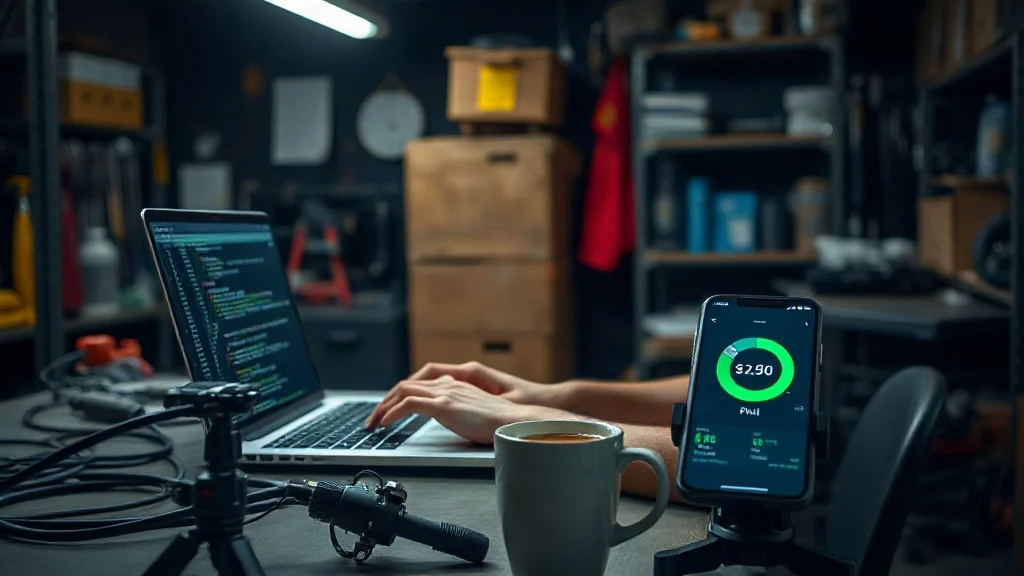
For WooCommerce sites, the challenge intensifies. Cart fragments and dynamic pricing scripts bloat mobile performance. Replace them with REST API calls that load only when needed. Our custom web engineering & REST APIs service builds lightweight endpoints that slash INP and LCP.
Monitoring is crucial. Use Chrome UX Report (CrUX) and Lighthouse CI to track field data. Avoid plugin-based monitors that add overhead. Instead, integrate lightweight analytics via server logs or a small JavaScript snippet.
FAQ
Can I fix Core Web Vitals without any plugins?
Yes. Most fixes involve removing plugin bloat, optimizing code, and configuring server-level caching. You’ll need access to theme files and server settings, but no additional plugins are required.
Why does my mobile score differ from desktop?
Mobile devices have slower CPUs and networks. Plugins that perform adequately on desktop often cause main-thread congestion and layout shifts on mobile, lowering Core Web Vitals scores.
How long does it take to see improvements?
Code-level changes can improve metrics immediately, but Google’s field data (CrUX) updates over a 28-day window. Use lab tools like Lighthouse for instant feedback.
Ready to pass Core Web Vitals? XealBrax engineers sub-second mobile performance through code-level optimization, no plugins, no bloat. Get a free diagnostic today.
Explore XealBrax | Technical Web Engineering & Core Web Vitals

A Personal Note From Collins E. Iyorah, Founder of XealBrax
I built XealBrax because creators, bloggers, and small businesses shouldn’t have to piece together fragmented tools to grow online. Whether you are optimizing your website performance, utilizing our AI-driven utilities, or scaling through our Creator Network, our goal is to give you a transparent, penalty-free path to digital success. If you want a complete look at how we help brands scale, read my personal guide to get started.