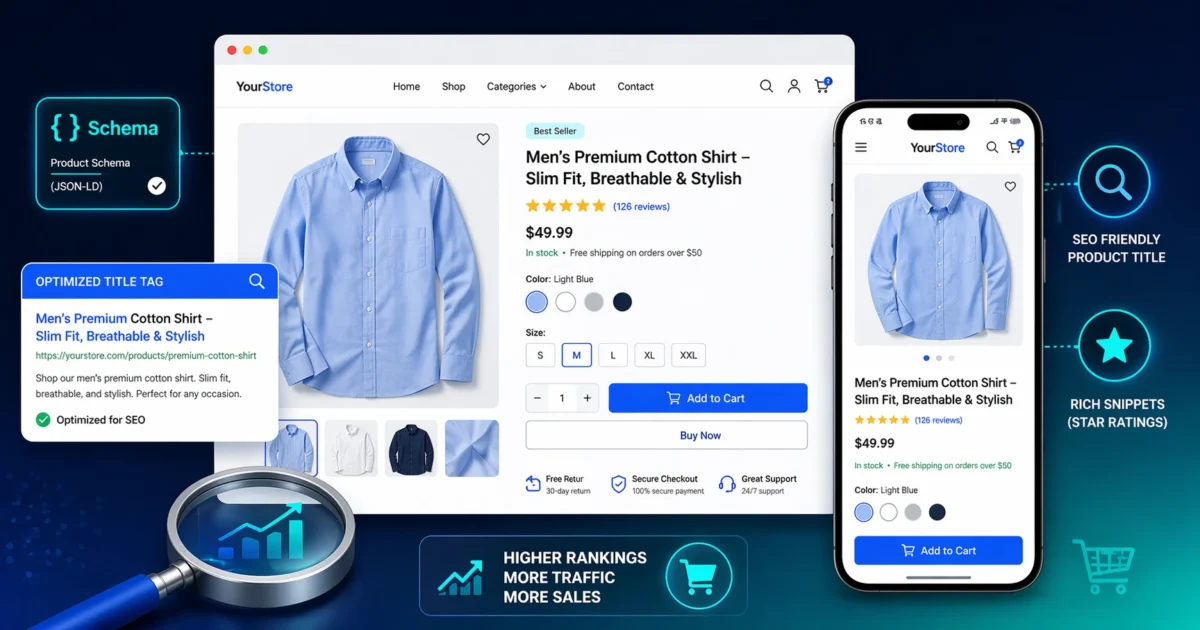
E‑commerce product pages are your digital storefront—they either close the sale or lose the customer. But even the best products won’t sell if no one can find them. In 2026, product page SEO isn’t just about plugging in a keyword; it’s about creating a seamless, trustworthy, and technically sound experience that search engines (and shoppers) love.
This checklist covers every element of a high‑ranking product page, whether you’re on WooCommerce, Shopify, or a custom cart. Follow these steps and your product pages will be primed for visibility, clicks, and conversions.
The Anatomy of an SEO‑Friendly Product Page
Before we dive into the checklist, let’s map the key components search engines evaluate. A product page must:
- Clearly describe what you’re selling and who it’s for.
- Demonstrate expertise and trustworthiness (E‑E‑A‑T signals).
- Load quickly on mobile devices.
- Use structured data to stand out in search results.
- Provide a straightforward path to purchase.
The following checklist addresses each of these requirements step by step.
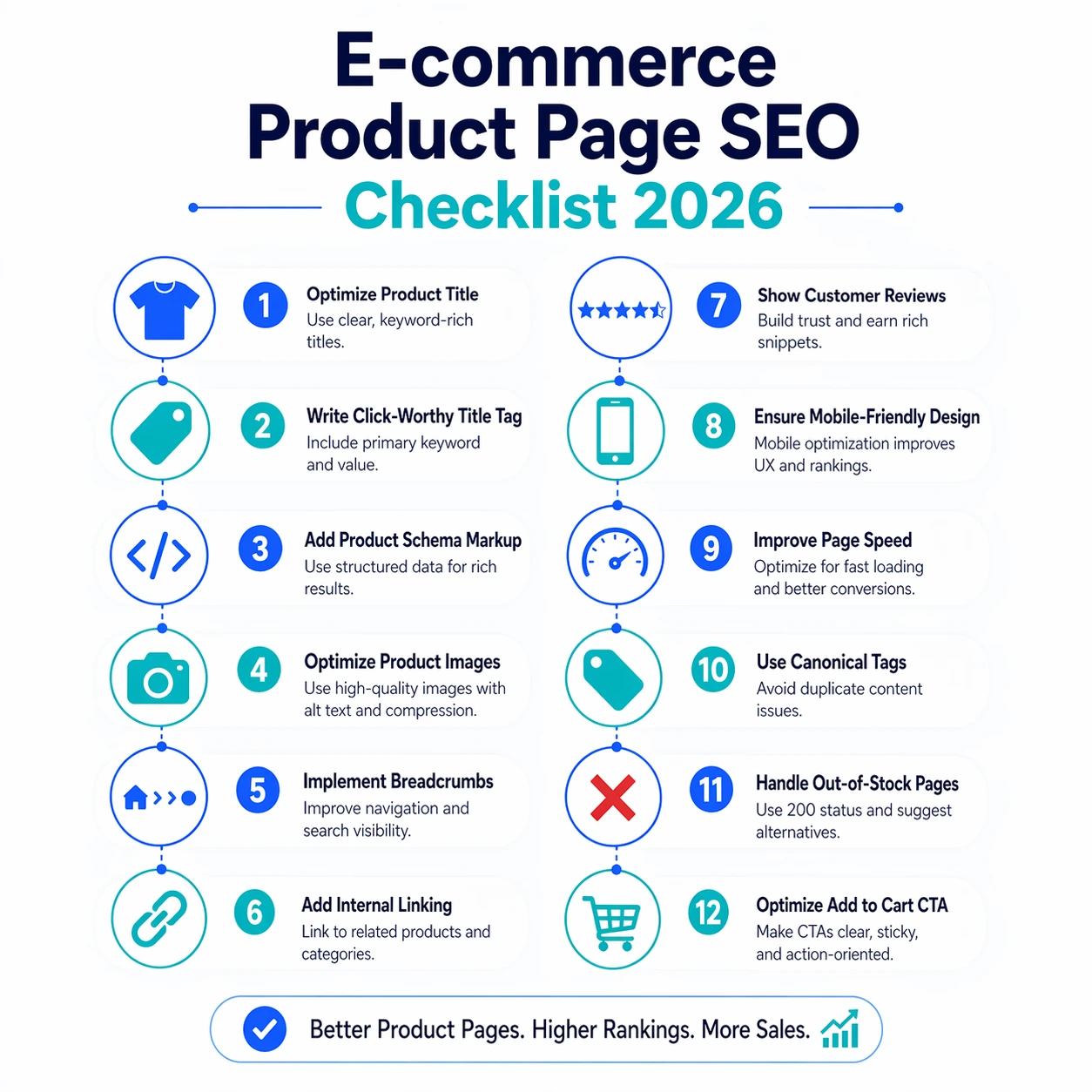
The Complete 12‑Step SEO Checklist for Product Pages
Step 1: Craft a Unique, Keyword‑Rich Title Tag
Your title tag is the first thing users see in search results. A winning formula: [Product Name] – [Key Benefit] – [Brand]. Include the primary keyword naturally, keep it under 60 characters, and avoid stuffing. For example: “Men’s Waterproof Hiking Boots – All‑Terrain Grip | TrailGear”.
Step 2: Write a Compelling Meta Description (That Also Sells)
Meta descriptions don’t directly affect rankings, but they heavily influence click‑through rates. Use 120–155 characters to highlight the product’s unique selling proposition, include the primary keyword, and end with a micro‑CTA. Example: “Shop our best‑selling waterproof hiking boots with Vibram soles. Free shipping over $75. See why 10,000+ hikers trust TrailGear.”
Step 3: Create an Original Product Description (Not the Manufacturer’s)
Duplicate content from manufacturers kills your E‑E‑A‑T. Write a unique, detailed description that answers customer questions, highlights benefits (not just features), and uses semantic keywords. Aim for at least 300 words. Break text into scannable sections with subheadings, bullet points, and short paragraphs.
Step 4: Implement Product Schema Markup
Schema helps Google display rich results like price, availability, star ratings, and shipping info directly in search. For e‑commerce, you need Product schema with Offer properties. Key fields include name, description, sku, image, offers (with price, priceCurrency, availability), and aggregateRating (if you have reviews).
Quick implementation: If you use WooCommerce, plugins like Rank Math or Yoast SEO can auto‑generate product schema from your product data. Shopify themes often include it by default—verify via Google’s Rich Results Test. For custom carts, add JSON‑LD manually or through a tag manager.
Step 5: Optimize Product Images for Speed and SEO
Images sell products but also slow down pages. Use WebP format, compress to under 100 KB for primary images, and provide multiple sizes with srcset. Every image must have descriptive alt text that includes the primary keyword (e.g., “Men’s waterproof hiking boots with Vibram soles – side view”). Also, a keyword‑optimized file name matters: mens-waterproof-hiking-boots-vibram.webp.
Breadcrumbs show the user (and Google) the page hierarchy. They often appear as rich snippets in search results. Use the BreadcrumbList schema, which is output by most SEO plugins. Ensure your breadcrumb trail is: Home > Category > Subcategory > Product.
Step 7: Add Internal Links from Category and Blog Pages
Internal links distribute authority and help search engines discover product pages. Link from relevant category pages, related products, and blog posts. For example, a blog post about hiking tips should link to your boots product page. Use descriptive anchor text like “waterproof hiking boots with Vibram soles” instead of “click here”.
Step 8: Collect and Display Customer Reviews (with Review Snippet Schema)
User‑generated content builds trust and adds fresh content. Collect reviews post‑purchase and display them prominently. Pair reviews with Review schema to show star ratings in search results. Most e‑commerce platforms support a combined Product+Review snippet. Just make sure reviews are verified and not spam‑flagged.
Step 9: Design for Mobile‑First Shopping
Over 60% of e‑commerce traffic comes from mobile devices. Google indexes the mobile version of your site. Ensure your product pages are responsive, with tap‑friendly buttons, readable text without zooming, and a fast checkout flow. Use a mobile‑first test tool like Google’s Mobile‑Friendly Test to catch issues.
Step 10: Improve Core Web Vitals (LCP, INP, CLS)
Page experience signals matter. Optimize images, enable caching, reduce third‑party scripts (like extra social embeds), and pre‑load your main product image to improve LCP. Use a CDN and minimize layout shift by reserving space for dynamic elements like price or add‑to‑cart.
Step 11: Handle Out‑of‑Stock and Discontinued Products Properly
Don’t delete product pages that have earned backlinks or rankings. Instead, use a 301 redirect to a relevant category or a newer version. If the product might return, keep the page with a clear “Out of Stock” message and a sign‑up for back‑in‑stock alerts. Avoid showing a 404 error—it wastes your SEO equity.
Step 12: Set Canonical Tags to Avoid Duplicate Content
Many e‑commerce sites generate duplicate product pages through faceted navigation (filters, sorting). Ensure each product page has a self‑referencing canonical tag pointing to the main product URL. This prevents split indexing. Most SEO plugins handle this automatically; just verify there’s one canonical per page.
🛠️ Ready to audit your product pages? Use our Free SEO Audit Tool to catch missing tags, broken schema, and speed issues on your entire site—including your product pages.
Platform‑Specific Tips
WooCommerce
Use Rank Math or Yoast SEO to automatically generate Product schema. Optimize product attributes (size, color) as structured data. Use a lightweight WooCommerce‑optimized theme and enable built‑in lazy loading. For variable products, add a canonical tag to the parent product.
Shopify
Shopify handles most technical SEO automatically, but you still need to optimize title tags, meta descriptions, and alt text through the interface. Add structured data via apps like “JSON‑LD for SEO” or manually in the theme. Ensure your sitemap includes all product pages (automatic by default).
Custom Carts
You’ll need to implement schema manually (or via a developer). Use JSON‑LD, not microdata. Ensure your cart system supports SEO‑friendly URLs and doesn’t render content via JavaScript that search engines can’t crawl. A regular technical audit is crucial here.
Beyond the Checklist: Continuous Optimization
SEO isn’t a one‑time task. Monitor your product pages in Google Search Console. Look for impressions that could become clicks with a better title, or pages that rank on page 2 that need a content refresh. Track conversion rate alongside rankings—an SEO win that doesn’t increase sales is only half the battle.
Need a comprehensive audit of your e‑commerce site? Book a strategy call and we’ll map out a plan to improve your rankings and revenue—starting from $50.

A Personal Note From Collins E. Iyorah, Founder of XealBrax
I built XealBrax because creators, bloggers, and small businesses shouldn’t have to piece together fragmented tools to grow online. Whether you are optimizing your website performance, utilizing our AI-driven utilities, or scaling through our Creator Network, our goal is to give you a transparent, penalty-free path to digital success. If you want a complete look at how we help brands scale, read my personal guide to get started.