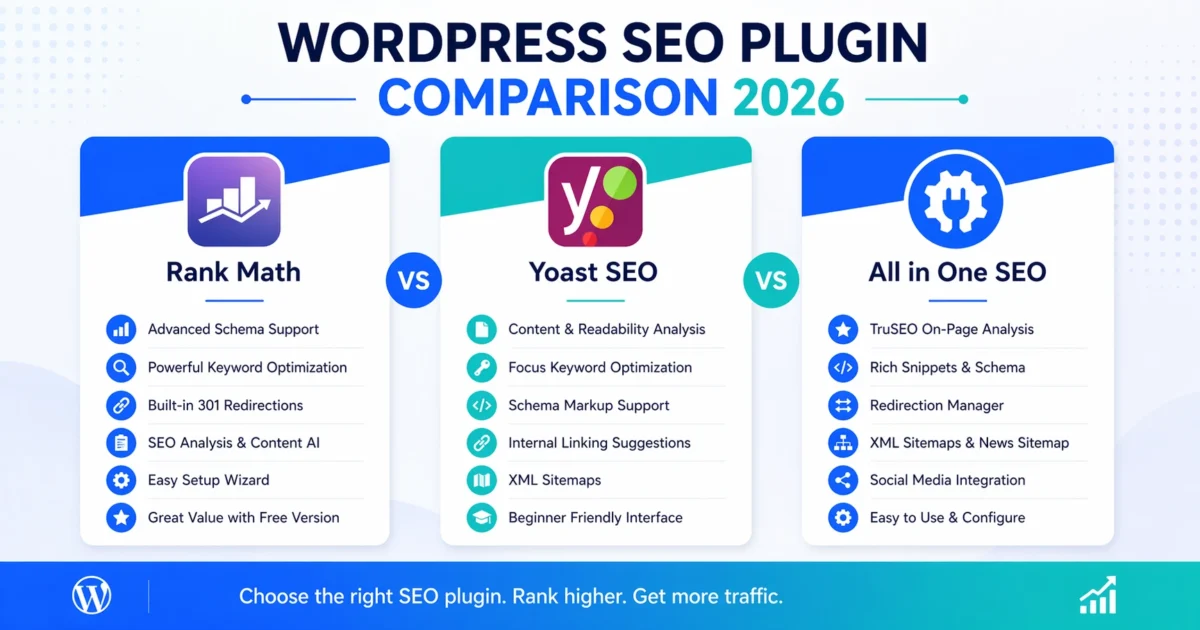
A good SEO plugin is the backbone of your on‑page optimization. But with so many options—each claiming to be the best—it’s easy to get stuck in analysis paralysis. In 2026, three WordPress plugins dominate the conversation: Rank Math, Yoast SEO, and All in One SEO (AIO SEO). Each has a loyal following, but they differ significantly in features, philosophy, and complexity.
We’ve put them head‑to‑head to help you decide which plugin fits your workflow, your budget, and your site’s specific needs. This isn’t a surface‑level comparison—we’ll walk through setup, real‑world differences, and which choice makes sense for beginners, e‑commerce owners, and advanced users alike.
At a Glance: The Three Contenders
- Rank Math – The feature‑packed upstart that quickly gained market share with a generous free tier, multiple schema types, and built‑in automation.
- Yoast SEO – The long‑standing industry standard, trusted by millions, with a polished interface and a premium plugin ecosystem that expands functionality.
- All in One SEO – An original WordPress SEO plugin, recently revamped, focused on simplicity and tight integration with other services.
Detailed Feature Comparison
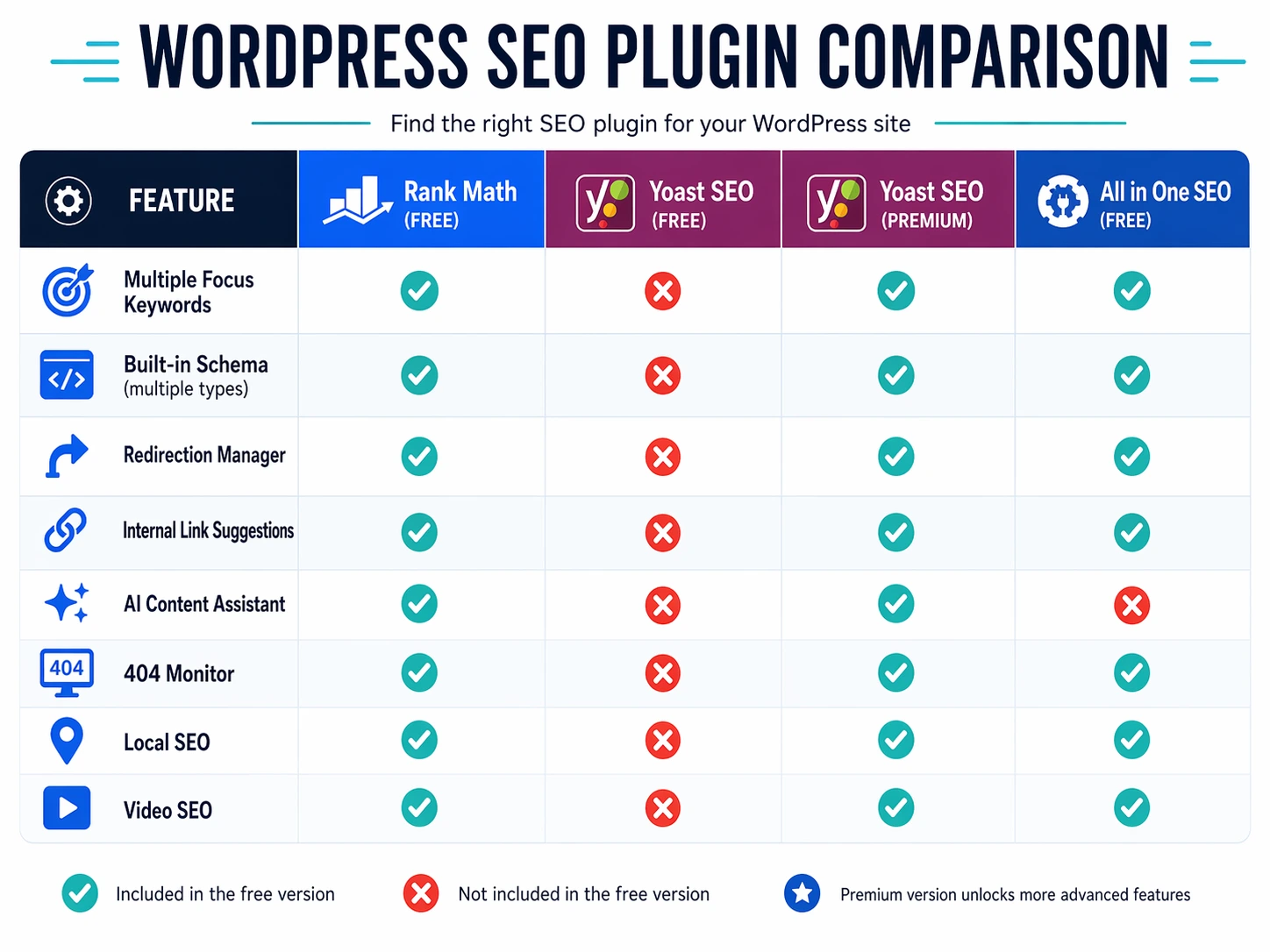
Below is a breakdown of the most important features. We’ve noted which features are available in the free versions—because that’s where the real value often lies.
| Feature | Rank Math (Free) | Yoast SEO (Free) | Yoast SEO (Premium) | All in One SEO (Free) |
|---|---|---|---|---|
| Multiple Focus Keywords | ✅ Up to 5 | ❌ 1 only | ✅ Up to 5 | ✅ 1 (free); unlimited in Pro |
| Built‑in Schema Markup | ✅ 16 types | ✅ Basic (Article, etc.) | ✅ Extended | ✅ Basic; more in Pro |
| Redirection Manager | ✅ | ❌ | ❌ (needs separate plugin) | ✅ |
| Internal Link Suggestions | ✅ (free) | ❌ | ✅ | ❌ (Pro only) |
| AI Content Assistant | ✅ (RankBot) | ❌ | ✅ (Premium only) | ❌ (Pro only) |
| 404 Monitor | ✅ | ❌ | ❌ | ✅ (Pro only) |
| Local SEO | ✅ (free) | ❌ | ✅ (separate add‑on) | ✅ (Pro only) |
| Video SEO | ✅ (free module) | ❌ | ✅ (separate add‑on) | ✅ (Pro only) |
| WooCommerce SEO | ✅ (free) | ❌ | ✅ (premium) | ✅ (Pro only) |
| Google Search Console Integration | ✅ | ❌ | ❌ | ✅ |
| Import from Other Plugins | ✅ (Yoast, AIO, etc.) | ✅ (limited) | ✅ | ✅ (Rank Math, Yoast) |
Quick observation: Rank Math’s free version packs the most features, while Yoast’s free offering is deliberately limited to steer you toward premium. All in One SEO splits the difference with a clean interface but gates advanced features behind its Pro tier.
🛠️ Need a quick health check? Our Free SEO Audit Tool scans your website and gives you instant feedback on title tags, meta descriptions, speed issues, and more—so you can see if your current plugin is doing its job.
First 30 Minutes With Each Plugin
How quickly can you go from install to “set up and optimized”? Here’s what the first half hour looks like.
Rank Math: Setup Wizard & Modular Approach
Rank Math launches a step‑by‑step wizard immediately after activation. You connect your site to a Rank Math account (free), choose your site type (blog, e‑commerce, news, etc.), and the plugin auto‑configures basics like sitemaps, meta tags, and schema. After the wizard, you’re dropped into a clean dashboard where you can enable/disable modules individually (like Local SEO, Video, Redirections) so unused features don’t bloat your site.
In 30 minutes, you can complete the wizard, configure social media templates, and set up automatic image alt/title attributes. The integrated keyword rank tracker (using Google Search Console data) gives you immediate insight.
Yoast SEO: The Classic Configuration Workflow
Yoast also has a first‑time configuration wizard that guides you through site representation, visibility settings, and search engine connection. It’s intuitive but slightly slower than Rank Math’s. Once done, you land on the general settings page, and you’ll need to manually enable features like breadcrumbs if you want them.
In 30 minutes, you’ll finish the wizard, set up your knowledge graph/social profiles, and tweak the content analysis settings. However, you’ll quickly hit the premium wall—things like related keyphrases, internal linking, and redirections will require an upgrade.
All in One SEO: Straightforward and Uncluttered
AIO SEO’s setup wizard is clean and focused. It sets up schema markup, sitemaps, and social meta right away. The dashboard is less granular than Rank Math’s but feels less overwhelming for beginners.
In 30 minutes, you’ll have essential settings locked in, but you may notice many options are locked behind the Pro version (like local SEO, video, redirections). The interface is friendly, but for advanced users, it can feel limited compared to Rank Math.
Performance Impact: Which Plugin is Lightest?
All three plugins can impact page load time if configured carelessly. However, a few observations from testing in 2026:
- Rank Math uses a modular system; only active modules load their assets. If you disable unused modules, it’s lean. It also includes performance‑minded defaults like deferred CSS for its admin bar.
- Yoast SEO loads more CSS/JS by default for its analysis tools and readability checks. This can add a few extra kilobytes to admin and front‑end (if features like FAQ block styling are used).
- All in One SEO is lightweight but adds more when Pro is active. Its free version is minimal, comparable to Rank Math with most modules off.
Winner (lightest out of the box): Rank Math, assuming you disable unused modules. But all three are acceptable if paired with a good caching plugin.
Which Plugin Should You Choose?
For Beginners and Bloggers
Recommendation: All in One SEO (free) or Yoast SEO (free)
Both are easy to set up, guide you through the basics, and won’t overwhelm you with too many options. Yoast’s content analysis is especially helpful for learning on‑page SEO.
For E‑commerce Stores
Recommendation: Rank Math (free)
Rank Math includes WooCommerce SEO out of the box (product schema, enhanced snippets). Yoast requires a premium add‑on for the same depth. AIO SEO also works, but you’ll need Pro for the full e‑commerce toolkit.
For Advanced Users / Developers
Recommendation: Rank Math
The free version offers fine‑grained control (custom schema, 404 monitor, redirections, internal link suggestions). It’s almost a “pro‑level tool for free.” If you prefer a more established ecosystem with deep support resources, Yoast Premium is also solid, but it costs more.
If You’re Already on Yoast or AIO SEO
Is it worth switching? If your current plugin works and you’re not missing features, maybe not. But if you crave more from the free version, Rank Math offers a seamless migration wizard that imports all settings in minutes. We’ve tested it across multiple sites—it works reliably.
Quick Migration Guide
If you decide to switch, follow these steps to avoid SEO disruptions:
- Back up your site (files and database).
- Install the new plugin but don’t activate it yet.
- Deactivate your old plugin.
- Activate the new plugin and run its import tool (Rank Math imports from Yoast, AIO SEO; AIO SEO imports from both).
- Verify that meta titles, descriptions, and schema are correctly migrated using the plugin’s dashboard and Google’s Rich Results Test.
- Submit updated sitemap in Google Search Console.
The whole process can be done under 15 minutes with no ranking loss.
The Verdict
If you want the most value for $0, Rank Math is the clear winner. Its free version rivals many premium tools. Yoast remains a trusted, polished option if you’re willing to pay for the premium tier. All in One SEO is a solid, beginner‑friendly choice that’s been steadily improving.
Ultimately, the best plugin is the one you’ll actually use—but why pay for features you can get for free?
Not sure which one fits your site? Book a strategy call and we’ll evaluate your setup, migrate you if needed, and configure your chosen plugin for peak performance—starting from $50.

A Personal Note From Collins E. Iyorah, Founder of XealBrax
I built XealBrax because creators, bloggers, and small businesses shouldn’t have to piece together fragmented tools to grow online. Whether you are optimizing your website performance, utilizing our AI-driven utilities, or scaling through our Creator Network, our goal is to give you a transparent, penalty-free path to digital success. If you want a complete look at how we help brands scale, read my personal guide to get started.