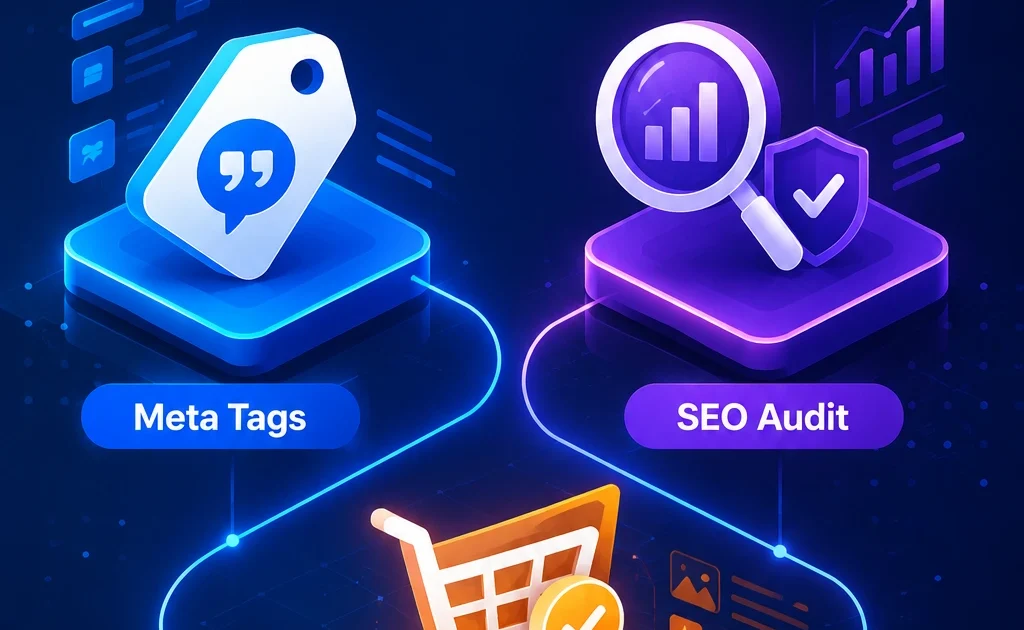
📖 What you’ll learn
- ✅ How the AI Meta Tag Generator helps create better title tags and meta descriptions
- ✅ How the Free SEO Audit checks technical SEO, page structure, speed, and website health
- ✅ How the Product Listing Optimizer improves product titles, descriptions, and bullet points
- ✅ How to combine all three tools into one practical SEO workflow
- ✅ How creators, small businesses, and e-commerce sellers can use XealBrax to improve online visibility
- ✅ Which external SEO resources are worth bookmarking
Improving SEO does not always require expensive software, complicated dashboards, or a full agency retainer. Sometimes you need a clear starting point: better metadata, a technical website check, and stronger product pages.
XealBrax provides free AI-assisted SEO tools built for business owners, creators, e-commerce sellers, service providers, and website managers who want practical recommendations without unnecessary setup.
This guide explains how to use the AI Meta Tag Generator, Free SEO Audit, and AI Product Listing Optimizer together to improve search visibility, click-through rate, technical SEO, product listing quality, and conversion readiness.
1️⃣ AI Meta Tag Generator: Create Better SEO Titles and Meta Descriptions
Your title tag and meta description are often the first things users see in Google search results. If they are missing, duplicated, too vague, or too long, your page can lose clicks even when it appears in search.
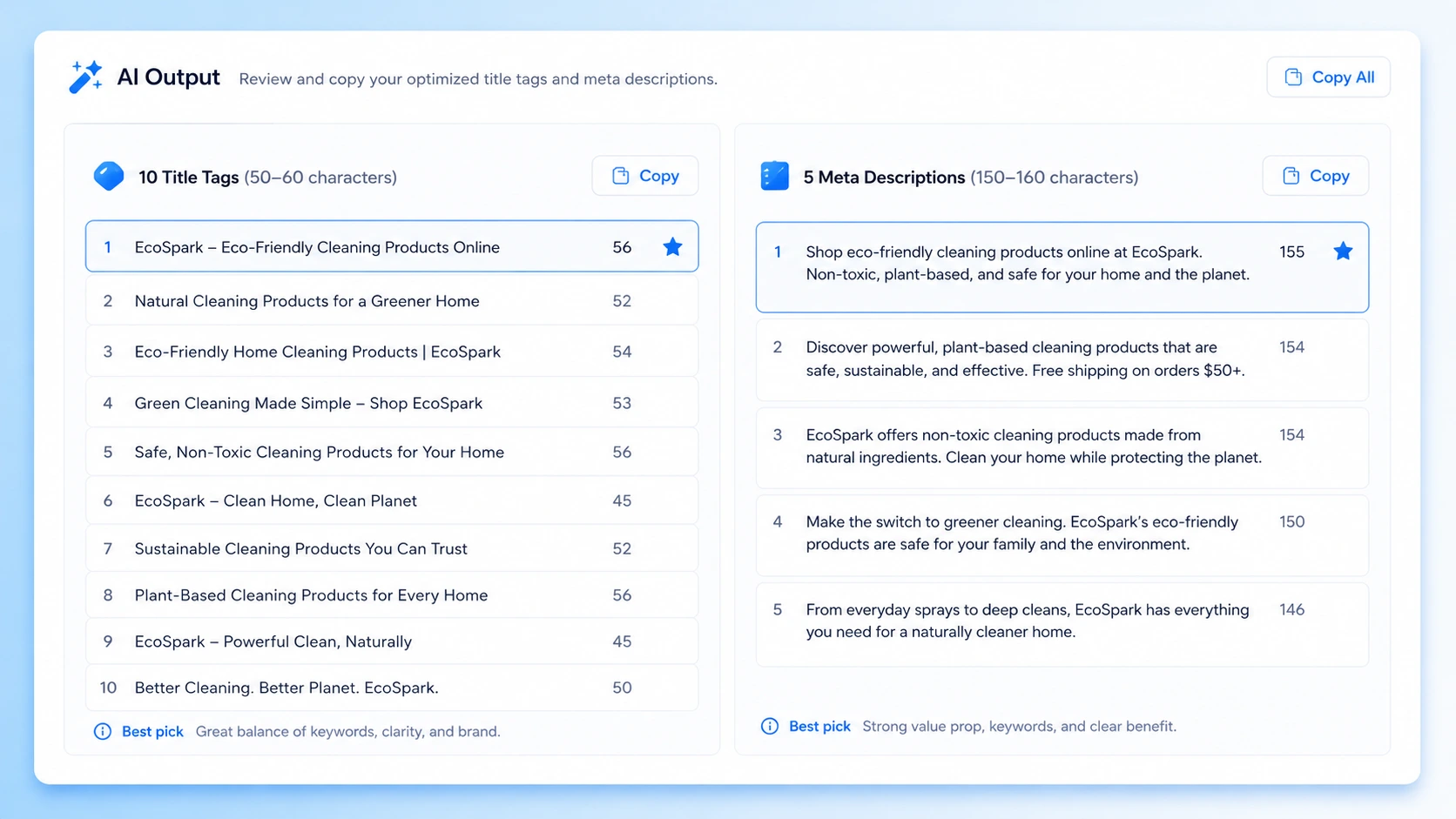
The XealBrax AI Meta Tag Generator helps you create title tag and meta description ideas for service pages, blog posts, product pages, landing pages, category pages, and business websites.
Instead of guessing, you describe your business or page, optionally add your brand name, and receive multiple SEO-friendly title and meta description options.
Best use cases
- Service pages that need clearer search snippets
- Product pages with weak or duplicated metadata
- Blog posts that need stronger click-through potential
- Landing pages for paid ads or organic traffic
- Local business pages targeting specific services or locations
📚 External resources:
Google’s guide to snippets
|
Moz title tag best practices
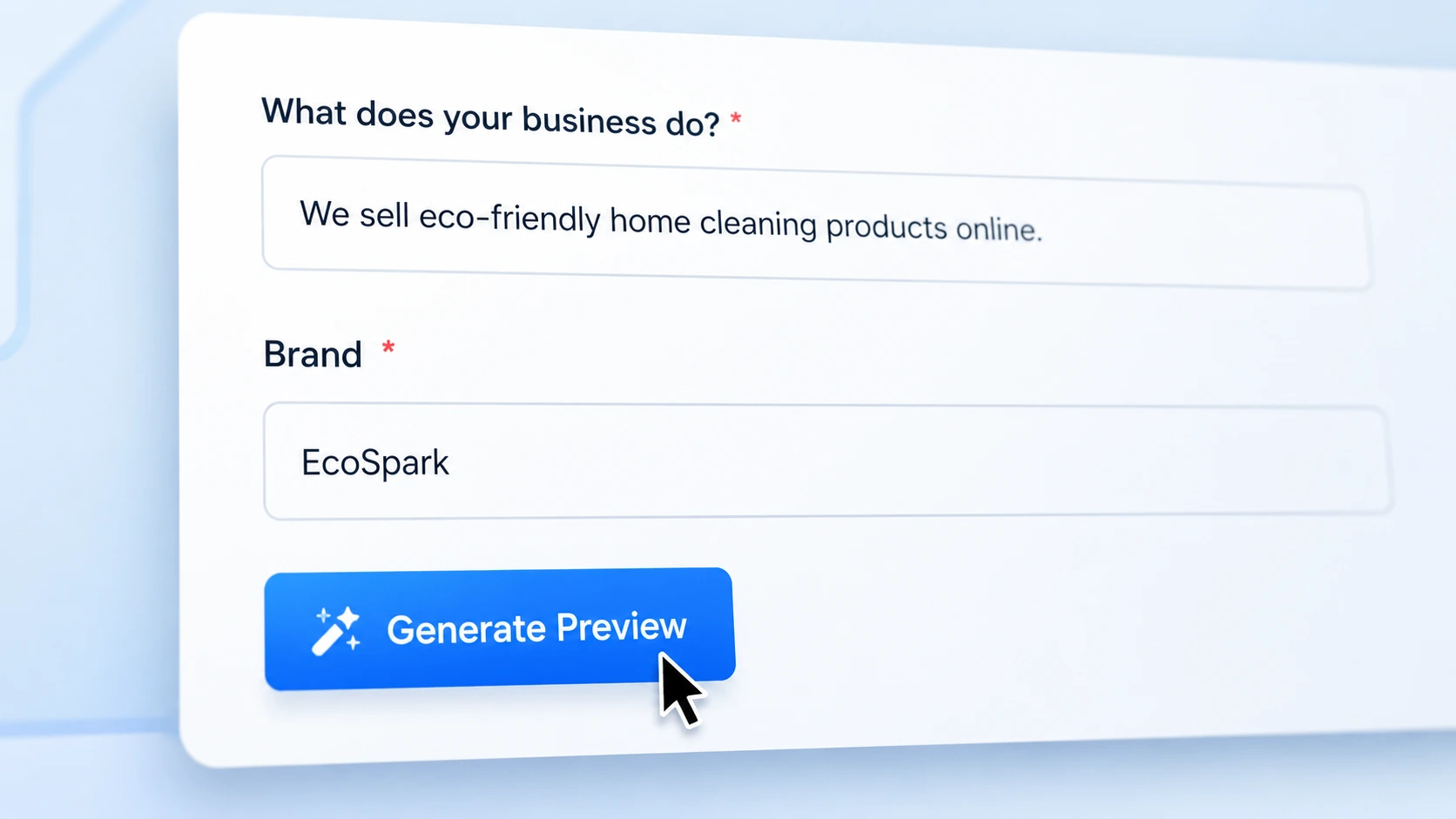
How to use the Meta Tag Generator
- Describe your business or page: For example, “artisanal coffee roaster selling single-origin beans online.”
- Add your brand name: This is optional, but useful if you want branded title ideas.
- Add your website URL: Optional, but helpful if you want the tool to review your existing title and meta description.
- Generate the preview: Review a sample title and meta description before unlocking the full list.
- Use the best option: Copy the strongest title and meta description into WordPress, Shopify, WooCommerce, your SEO plugin, or your website CMS.
👉 Try it now:
Generate Meta Tags Free →
2️⃣ Free SEO Audit: Check Website SEO, Speed, and Technical Signals
A website can look professional and still have technical SEO issues. Missing title tags, weak meta descriptions, poor heading structure, slow loading, missing alt text, weak internal links, and schema gaps can all reduce search performance.
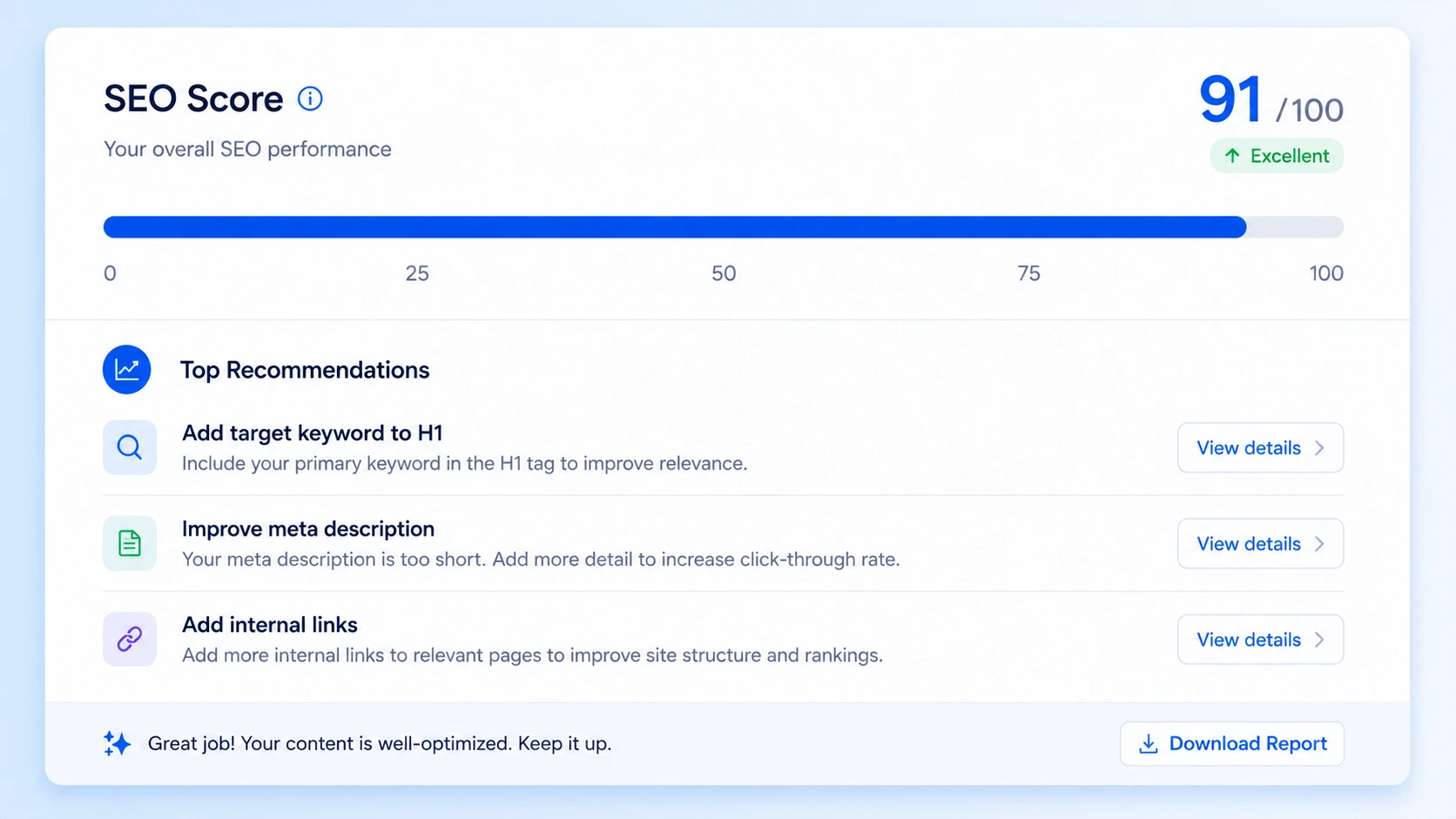
The XealBrax Free SEO Audit checks core on-page and technical SEO signals, then gives you a practical score and prioritized recommendations.
The audit is useful for business websites, WordPress pages, blogs, Shopify stores, WooCommerce sites, landing pages, and product pages that need a quick technical review.
📚 External resources:
Google PageSpeed Insights
|
Google SEO Starter Guide
What the SEO Audit checks
- Title tag presence and length
- Meta description presence and length
- H1 and H2 heading structure
- Image count and missing alt text
- Internal and external links
- Canonical URL signals
- Robots.txt and sitemap availability
- Open Graph and Twitter Card tags
- Schema markup detection
- PageSpeed and Core Web Vitals-related signals where available
- Basic security header checks
How to run your SEO audit
- Enter your website URL: Use the exact public URL you want checked.
- Add optional notes: Mention anything specific, such as “check my product pages” or “focus on speed.”
- Generate the preview: See your score and top recommendations.
- Unlock the full report: Receive detailed metrics and a prioritized fix list.
- Act on the fixes: Start with title tags, meta descriptions, page speed, headings, image alt text, and internal links.
👉 Run your audit:
Start Free SEO Audit →
3️⃣ AI Product Listing Optimizer: Improve E-commerce Product Pages
Product listings need more than a product name and a short description. Search visibility and conversion depend on clear titles, useful bullet points, accurate descriptions, relevant keywords, and platform-specific formatting.
The XealBrax AI Product Listing Optimizer helps generate structured product content for Shopify, WooCommerce, Amazon, eBay, and other e-commerce platforms.
The tool can help with product titles, meta descriptions, short descriptions, long descriptions, bullet points, listing suggestions, and an SEO quality score.
📚 External resources:
Amazon product listing guidance
|
Shopify product description examples
What the Product Listing Optimizer helps with
- SEO-friendly product titles
- Product meta descriptions
- Short descriptions for product cards or previews
- Long product descriptions for product pages
- Bullet points for features, benefits, and specifications
- Platform-specific listing suggestions
- Product page improvement recommendations
How to optimize a product listing
- Select your platform: Choose Shopify, WooCommerce, Amazon, eBay, or another marketplace.
- Enter the product name: Use the exact product name or a clear draft title.
- Add a product URL: Optional. If available, the tool can use existing public product data as context.
- Add keywords: Include product features, buyer intent terms, materials, use cases, or model names.
- Add price and guidelines: Optional, but useful if you want tone, audience, or feature emphasis included.
- Generate the preview: Review the optimized title, meta description, bullet samples, and score.
- Unlock the full listing: Copy the complete listing into your store or marketplace dashboard.
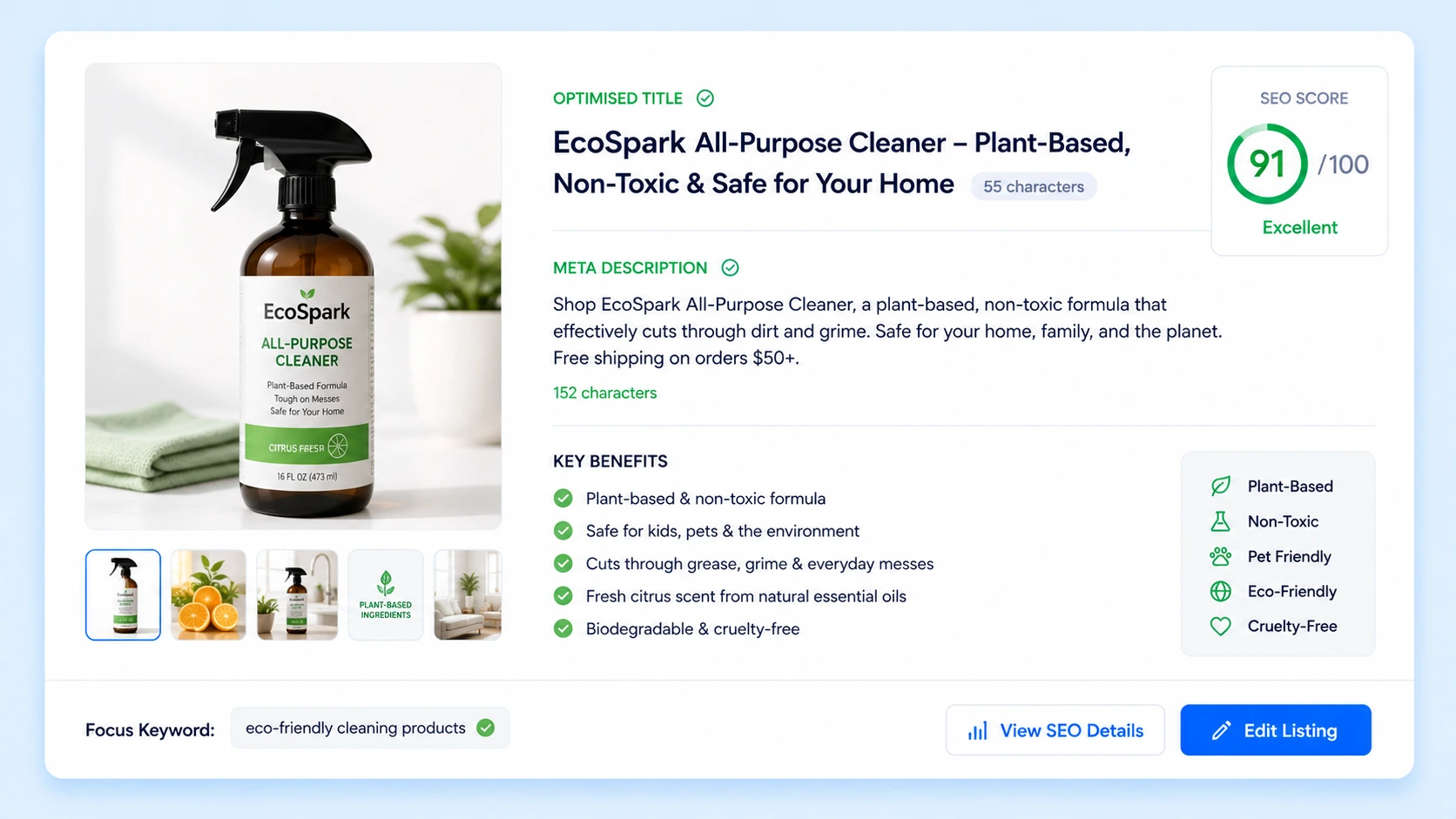
👉 Optimize a product:
Try Product Listing Optimizer →
4️⃣ Pro Workflow: Combine All Three Tools
The best results come from using the tools together. Each one solves a different part of the visibility problem.
Workflow for a business website
- Run the Free SEO Audit to find technical and on-page issues.
- Use the AI Meta Tag Generator to rewrite weak title tags and meta descriptions.
- Review internal links, headings, image alt text, schema, and speed recommendations.
- Re-run the audit after making changes to track improvement.
Workflow for an e-commerce store
- Use the Product Listing Optimizer to improve product titles, descriptions, and bullet points.
- Use the Meta Tag Generator to create better product page title tags and meta descriptions.
- Run a Free SEO Audit on important product or category pages.
- Prioritize pages with high commercial intent first.
Workflow for creators and visibility-focused brands
- Use the Meta Tag Generator to clarify your offer and search snippet.
- Run the SEO Audit on your website or landing page.
- Improve product or service pages before sharing them across social platforms.
- Explore the Creator Visibility Community for moderated feedback, authentic visibility support, and collaboration.
5️⃣ Common SEO Problems These Tools Help Fix
- Missing title tags: Use the Meta Tag Generator to create clearer title ideas.
- Weak meta descriptions: Generate more useful snippets that match search intent.
- Poor heading structure: Use the SEO Audit to identify page structure issues.
- Missing image alt text: Find image accessibility and SEO gaps during audits.
- Slow page experience: Review speed and Core Web Vitals-related signals.
- Thin product descriptions: Use the Product Listing Optimizer to create richer product content.
- Unclear product benefits: Generate bullet points that explain features and buyer value.
- Weak internal linking: Use audit findings to connect important pages more effectively.
6️⃣ External SEO Resources to Bookmark
- Google Search Console: Monitor search performance, indexing, and query data.
- Google PageSpeed Insights: Review speed and Core Web Vitals-related performance data.
- Google SEO Starter Guide: Learn the official fundamentals of SEO.
- Moz Beginner’s Guide to SEO: A clear introduction to SEO concepts and strategy.
- Semrush Blog: SEO, content, and digital marketing research and guides.
7️⃣ Frequently Asked Questions
Are the XealBrax SEO tools free?
Yes. The SEO Audit, Meta Tag Generator, and Product Listing Optimizer provide free previews. Full reports or full generated results may be delivered by email.
Do I need technical SEO experience to use the tools?
No. The tools are designed for business owners, creators, marketers, e-commerce sellers, and website managers who want practical recommendations without needing advanced SEO knowledge.
Can I use the tools for Shopify and WooCommerce?
Yes. The tools are useful for Shopify, WooCommerce, WordPress, service websites, landing pages, product pages, and marketplace listings.
Will these tools guarantee higher rankings?
No tool can guarantee rankings. XealBrax tools help identify issues and generate better SEO assets, but results depend on competition, content quality, implementation, backlinks, technical health, and user demand.
Can XealBrax help implement the recommendations?
Yes. If you want help applying SEO fixes, improving product listings, optimizing WordPress performance, or building a stronger visibility strategy, you can book a strategy call with XealBrax.
Start Using XealBrax Free SEO Tools
Use the free tools to check your website, improve metadata, and create stronger product listings. Then turn the recommendations into practical improvements.
Need help implementing the recommendations?
Book a strategy call →

A Personal Note From Collins E. Iyorah, Founder of XealBrax
I built XealBrax because creators, bloggers, and small businesses shouldn’t have to piece together fragmented tools to grow online. Whether you are optimizing your website performance, utilizing our AI-driven utilities, or scaling through our Creator Network, our goal is to give you a transparent, penalty-free path to digital success. If you want a complete look at how we help brands scale, read my personal guide to get started.