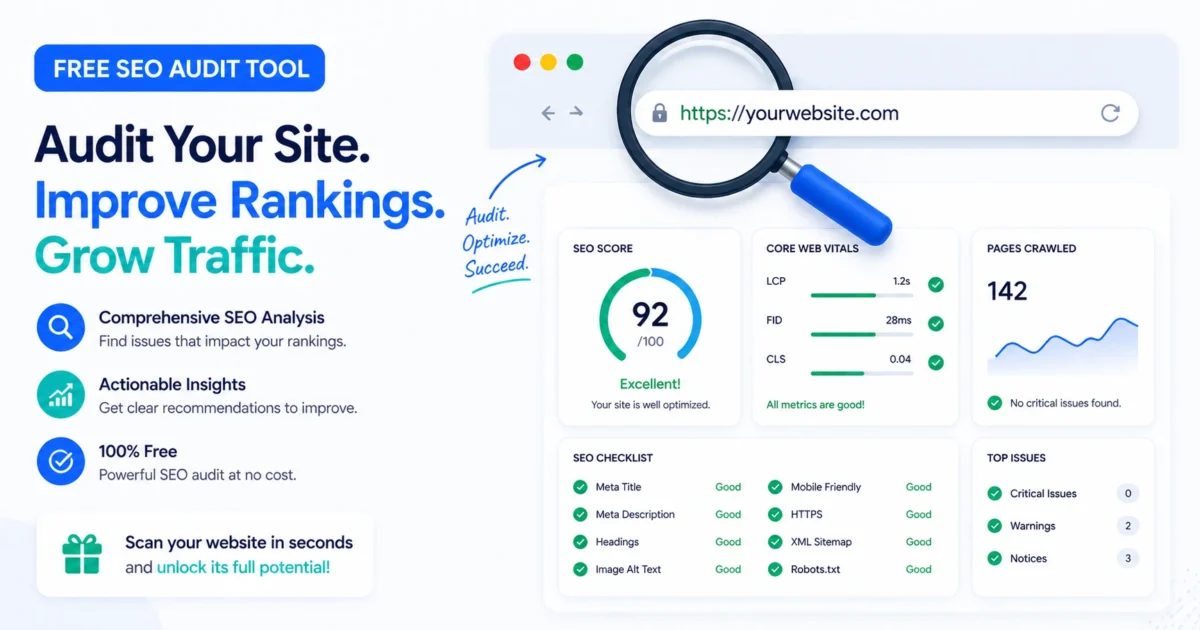
Every website owner wants to know: “Is my site SEO-friendly?” But running a full audit often means installing complex software, paying for premium tools, or manually checking dozens of elements. The XealBrax free SEO audit tool changes that. In under two minutes, it scans any public URL and delivers a clear, prioritized report—no account, no setup, no cost.
In this guide, we’ll walk through exactly what the tool checks, how to interpret the results, and how to turn its recommendations into real ranking improvements.
What Does the Free SEO Audit Tool Check?
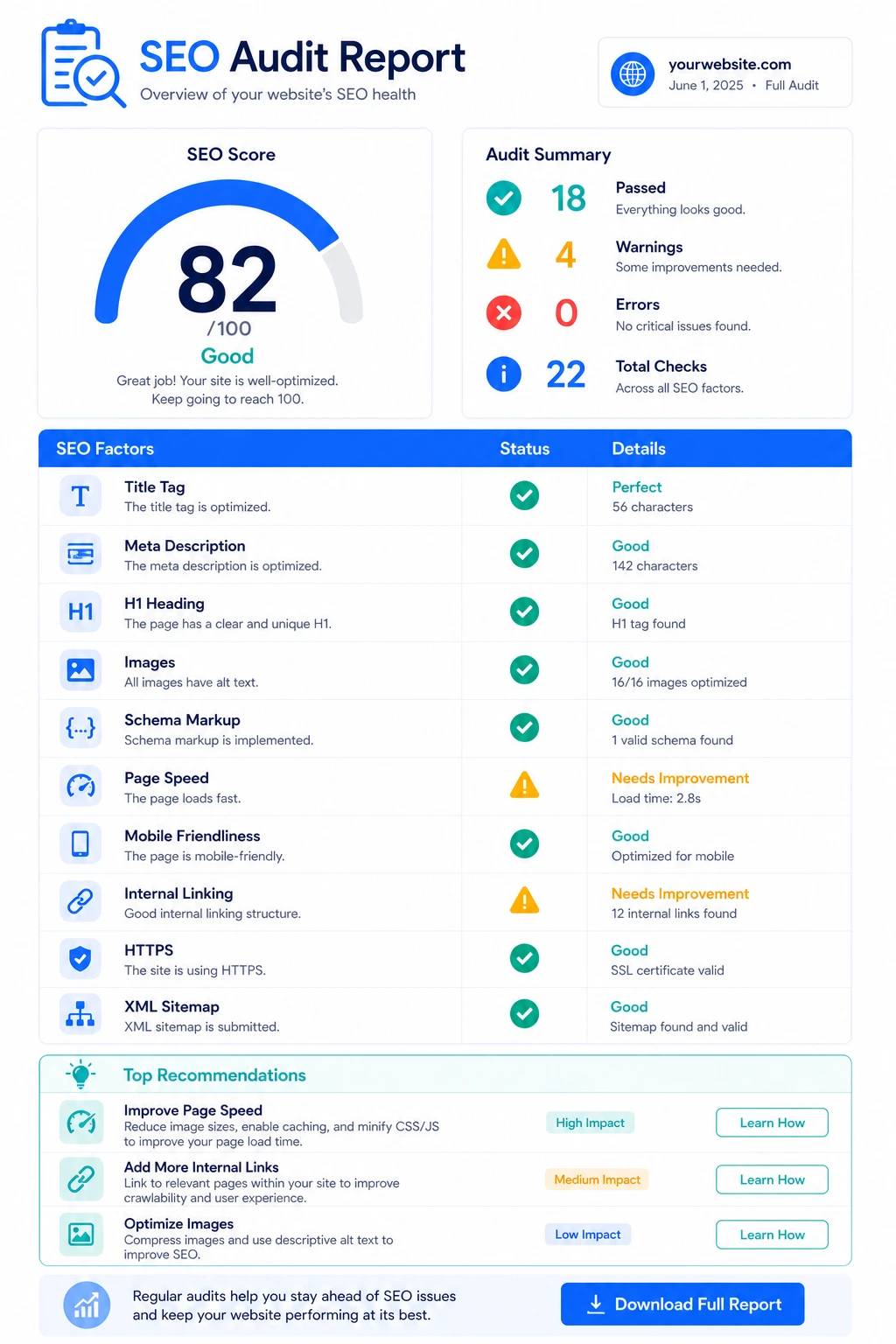
The audit covers the essential on-page and technical SEO factors that Google cares about. Each check is presented with a pass/fail indicator and a plain-English explanation, so you know exactly what to fix and why.
- Title Tag – Is it present? Is the length within the optimal 30–60 character range? Status: Good, Too Short, or Too Long.
- Meta Description – Detected? Length 120–160 characters? An engaging meta description improves click-through rates from search results.
- H1 Heading – Does the page have exactly one H1? Multiple or missing H1s confuse search engines and users.
- H2 Subheadings – Counts them to ensure content is well-structured and scannable.
- Image Alt Text – Reports total images and how many are missing alt attributes, which impacts accessibility and image SEO.
- Internal & External Links – Counts both, checks for nofollow on external links, and flags if internal linking is too sparse.
- Keyword Density – Calculates the most frequent word (excluding stopwords) and its density, helping you spot over-optimization or missed opportunities.
- Page Speed Estimate – A rough performance score based on page size, giving you a quick heads-up before running deeper speed tools.
- Canonical URL – Detects the canonical tag, verifies it’s an absolute URL, checks if it matches the page URL, and whether it resolves correctly (200, redirect, 404).
- Robots.txt & Sitemap – Checks if robots.txt is reachable and if an XML sitemap exists at standard locations.
- Open Graph & Twitter Card Tags – Counts how many social meta tags are present; missing tags hurt sharing on Facebook, LinkedIn, and Twitter.
- Schema Markup – Detects JSON-LD and microdata, including schema types found (e.g., Organization, Article, Product).
- Security Headers – Looks for HSTS and X-Frame-Options headers to assess basic security posture.
Understanding Your SEO Score
After scanning, the tool calculates an overall score from 0 to 100. It’s not a vanity number—every point is tied to a specific, weighted check. Here’s how the score breaks down:
| Category | Weight | What Contributes |
|---|---|---|
| Title & Meta | 40 points | Presence, length, and quality of title tag and meta description |
| Content Structure | 22 points | H1 count, H2 count, image alt text coverage |
| Links & Keywords | 13 points | Internal link count, external link presence, keyword density balance |
| Speed Estimate | 12 points | Rough performance score based on page size |
| Social & Schema | 10 points | Open Graph tags, Twitter Card tags, JSON-LD, microdata |
| Extra Signals | 3 points | Sitemap found, robots.txt reachable |
Scores below 50 indicate significant foundational issues. Scores between 50–70 mean the basics are there, but there’s room for improvement. Anything above 80 is well-optimized, with only minor tweaks needed.
How to Use the Audit Results
The real value isn’t the score—it’s the prioritized recommendations that follow. Each recommendation is actionable and tied to a specific issue found on your page. For example:
- “Title tag is too long (72 characters). Reduce to 60 or fewer.”
- “15 images are missing ALT text. Add descriptive alt attributes for accessibility and SEO.”
- “No canonical tag found. Add one to prevent duplicate content issues.”
Work through the list from top to bottom. The most impactful fixes—title tags, meta descriptions, and missing H1s—appear first. Tackling just the top three recommendations often improves a site’s SEO health significantly.
🛠️ Ready to scan your site? Use our Free SEO Audit Tool now—it takes under two minutes and gives you a personalized action plan. No account needed.
How It Compares to Other Free SEO Tools
There are many free SEO tools available, but most require a login, limit the number of scans, or focus on just one aspect of SEO (like speed or backlinks). Here’s how this audit stacks up:
| Tool | Requires Signup? | On-Page SEO | Technical Checks | Speed Estimate |
|---|---|---|---|---|
| XealBrax Free SEO Audit | No (just email for delivery) | ✅ Full | ✅ Canonical, robots, sitemap, schema, headers | ✅ |
| Google Search Console | Yes (Google account) | ❌ Limited | ✅ Indexing, Core Web Vitals | ✅ |
| Screaming Frog (Free) | No | ✅ H1, titles, meta | ✅ Broken links, redirects | ❌ |
| PageSpeed Insights | No | ❌ | ❌ | ✅ Detailed |
| Ahrefs Webmaster Tools | Yes (free account) | ✅ Limited | ✅ Backlinks | ❌ |
The unique value of this audit is breadth and speed: it checks over a dozen SEO factors in one scan and explains results in plain language. For a deeper dive, pair it with our free SEO guides that cover each topic in detail.
What the Audit Doesn’t Cover (And Why)
This is a surface-level health check, not a full-scale enterprise audit. It doesn’t scan for duplicate content across a site, run a full crawl budget analysis, or provide backlink data. Those require deeper tools like Screaming Frog or Ahrefs. But as a first step—especially for small businesses, bloggers, and e-commerce owners—it’s an efficient way to catch the most common SEO mistakes that silently hurt rankings.
For a complete, hands-on diagnostic, you can also book a strategy call and we’ll walk through a full audit together, starting from $50.
Why We Made It Free
We believe most websites fail at SEO not because of advanced problems, but because the basics are overlooked—missing meta descriptions, broken canonicals, missing schema. These are easy to fix once you know they exist. The free audit tool makes that knowledge accessible to everyone, regardless of budget. If the tool surfaces issues you want help fixing, our services are available. But the audit itself will always remain free.

A Personal Note From Collins E. Iyorah, Founder of XealBrax
I built XealBrax because creators, bloggers, and small businesses shouldn’t have to piece together fragmented tools to grow online. Whether you are optimizing your website performance, utilizing our AI-driven utilities, or scaling through our Creator Network, our goal is to give you a transparent, penalty-free path to digital success. If you want a complete look at how we help brands scale, read my personal guide to get started.