
Index bloat is the silent tax on every WordPress site’s organic growth. Every tag archive, author page, attachment URL, filtered WooCommerce result, and parameter-laden duplicate tells Googlebot to spend its finite crawl budget on pages that will never drive revenue. For e-commerce stores, publishers, and agencies, that waste compounds: new products sit in “Discovered – currently not indexed” for weeks while thousands of low-value URLs consume server resources and dilute internal link equity. In our work at XealBrax, we routinely find that 60 – 90% of indexed URLs on an unmanaged WordPress site have little to no search or business value. The fix is not a single plugin toggle; it is a forensic audit and a disciplined removal workflow.
What Is Index Bloat and Why WordPress Is Uniquely Vulnerable
Index bloat is the gap between the URLs search engines have indexed and the URLs that actually deserve to rank. WordPress’s default architecture is built for publishing flexibility, not crawl efficiency. Out of the box, it can generate category, tag, author, date, and post format archives; attachment pages for every uploaded image; internal search URLs (?s=); paginated archives and comment pagination (?replytocom=); WooCommerce filter, sort, price, and session parameters; feed URLs, trackback URLs, and REST API endpoints.
Each template may be useful in isolation, but at scale they create thousands of near-duplicate, thin, or purely functional pages. Google’s crawl budget documentation explains that crawl capacity is limited by host load and popularity; wasting it on low-value URLs directly delays discovery and indexing of your revenue pages. The problem is worse on shared hosting or sites with large inventories, where every unnecessary request can also slow down real users.
The Hidden Cost of Low-Value URLs: Crawl Budget, Link Equity, and Analytics Noise
Low-value URLs do not just sit quietly in the index. They actively harm performance in four ways:
- Wasted crawl budget. Googlebot may crawl 10,000 tag pages before it realizes your new product exists. For a 500-product store, filter combinations can explode into millions of URLs. If Googlebot spends 70% of its crawl on parameter URLs, your product pages are crawled less often, and price or stock changes go stale.
- Diluted internal link equity. Tag clouds, author boxes, and archive widgets spread PageRank across dozens of low-value pages. Your category and product pages receive less authority, making them harder to rank.
- Duplicate and thin content. Attachment pages, paginated archives, and filtered versions of the same category often present nearly identical content. Google may choose the wrong canonical or ignore all versions.
- Analytics pollution. Organic traffic to
/tag/or/author/pages inflates sessions but rarely converts. It hides the true performance of commercial pages and makes attribution unreliable.
A hypothetical example: an outdoor gear WooCommerce store has 400 products. Its XML sitemap includes 18,000 URLs because every attribute combination generates a crawlable filter. Googlebot crawls the filter matrix daily, but new products take 18 days to index. After an index bloat audit, the store reduces crawlable URLs to 1,100, and new products index in under 48 hours. Organic revenue from product pages increases 31% in 90 days, not because rankings changed overnight, but because the right pages were discovered and refreshed faster.
Stop Burning Crawl Budget on Low-Value URLs Our Technical SEO & Search Architecture service includes forensic crawl budget analysis and index bloat remediation, so every Googlebot request supports a page that can drive revenue.
Step-by-Step Audit: How to Identify Index Bloat in WordPress
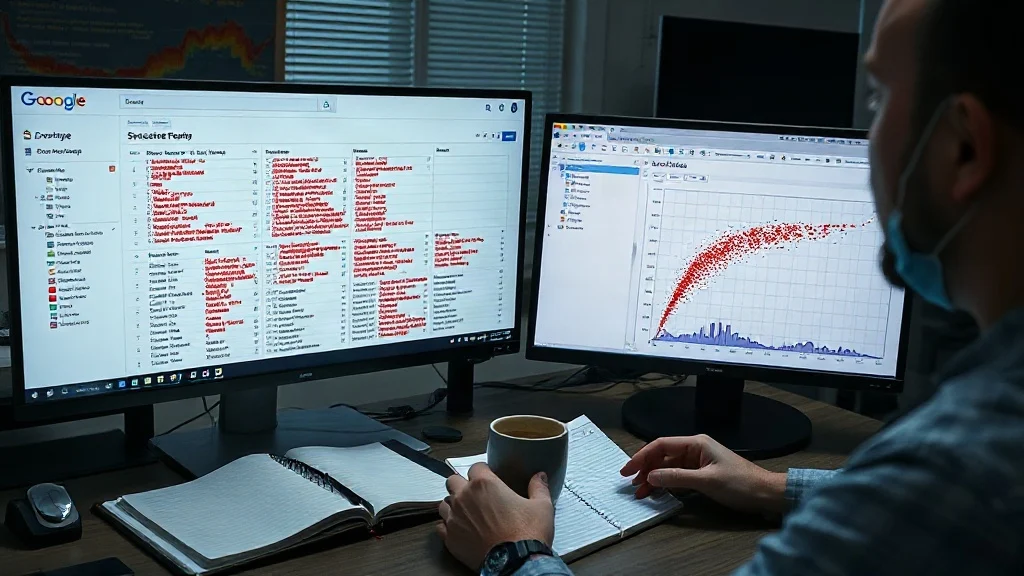
Before removing anything, you need a complete picture of what is indexed and what Googlebot actually crawls. Our audit process follows six steps:
- Export the indexed URL set. In Google Search Console, open the Pages report and export every valid and excluded URL. Also run
site:yourdomain.comqueries for major patterns to spot indexed URLs that GSC may not show. - Crawl the site. Use Screaming Frog, Sitebulb, or a comparable tool. Configure it to respect robots.txt, render JavaScript, and crawl the XML sitemap. Export all 200-status, indexable URLs.
- Segment by template. Group URLs into patterns:
/tag/,/author/,/?s=,/feed/,/attachment/,/?replytocom=,/?utm_,/?orderby=,/?filter=,/?min_price=,/?max_price=,/cart/,/checkout/,/my-account/,/wp-json/, and paginated archives. Count them and sort by volume. - Overlay business value. Tag each pattern as Keep, Improve, Noindex, Redirect, or Remove. A tag archive with 10,000 monthly organic visits and unique editorial content may deserve to stay. A tag archive with zero clicks and one post does not.
- Check internal links. Use the crawl tool’s inlinks report to see which low-value URLs receive links from navigation, sidebars, footers, related posts, and tag clouds. If Googlebot can reach a URL through internal links, it will crawl it. Removing links is often as important as adding noindex.
- Analyze server logs. Server logs show real Googlebot activity, including crawl frequency by directory. If 60% of Googlebot requests hit
/product/?filter=, you have a crawl budget problem. GSC Crawl Stats is a useful summary, but logs give the unfiltered truth.
A publisher case study: a WordPress news site had 42,000 indexed URLs, but only 3,200 articles. The rest were author archives, date archives, tag pages, and attachment pages. After segmenting and noindexing the archives, the site cut indexed URLs by 87%. Googlebot crawl requests to articles increased 2.9x, and breaking news indexed in under 10 minutes instead of 45.
Removal Playbook: Noindex, Canonicalize, Redirect, or Remove
Index bloat remediation is not a blunt “delete everything” exercise. The correct action depends on the URL’s value, backlinks, and role in the site architecture. Use this decision framework:
- Keep and optimize: URLs with search demand, unique content, conversions, or strategic internal linking. Improve them with better schema, content, and internal links.
- Noindex, follow: Thin archives (author, date, tag pages without unique value), internal search results, filtered WooCommerce combinations, and functional pages like cart, checkout, and my-account. Use noindex, follow so Google can still discover links to valuable pages.
- Canonicalize: Parameter variations that show the same core content (e.g.,
?orderby=price,?utm_source=). Set a self-referencing canonical on the preferred version and point variants to it. - Redirect 301: Low-value URLs with backlinks, traffic, or historical value. Send them to the closest relevant category, product, or article.
- Remove / 410 Gone: Pure junk URLs with no backlinks or traffic, old attachments, expired products,
replytocom, and test pages. After removing internal links and sitemap entries, return 410 to accelerate removal.
Important: Do not block URLs in robots.txt if you want them noindexed. A robots.txt disallow prevents Google from seeing the noindex directive, so the URL can remain indexed without content. Use noindex first, then remove links and sitemaps, and finally redirect or 410 if appropriate.
WordPress implementation checklist:
- Back up the site and test on staging.
- Configure your SEO plugin (Yoast, Rank Math, SEOPress, etc.) to noindex author archives, date archives, and tag archives that are not strategic.
- Disable attachment pages or redirect them to the parent post or media file.
- Noindex internal search results and prevent empty search pages from being crawled.
- In WooCommerce, noindex filter and sort parameters, cart, checkout, and my-account pages. Canonicalize filtered URLs to the base category.
- Review pagination. For product and category pagination, keep pages crawlable with self-referencing canonicals so products can be discovered. For thin non-product archives, noindex pagination.
- Remove tag clouds, author widgets, date archives, and recent-post widgets that link to low-value pages from your navigation and sidebars.
- Rebuild XML sitemaps to include only canonical, indexable, revenue-relevant URLs.
- Monitor Google Search Console Pages and Crawl Stats weekly. Expect indexed counts to drop before organic traffic rises.
This is where a forensic partner matters. At XealBrax, our Technical SEO & Search Architecture service handles the full audit, remediation, and monitoring workflow. We also provide WordPress Engineering & Maintenance to harden the site and Speed & Core Web Vitals Remediation to ensure that once crawl budget is reclaimed, the pages Googlebot prioritizes load fast and convert.
Turn Reclaimed Crawl Budget Into Revenue Our engineering team combines forensic SEO audits with WordPress performance work, so the URLs that matter are both discoverable and fast.
Measuring Success: KPIs for Index Bloat Remediation
Index bloat removal is not about reducing indexed pages for its own sake. The goal is to shift crawl budget, link equity, and user attention toward pages that grow the business. Track these KPIs:
- Indexed URL count by template. Low-value patterns should drop to zero while money-page templates remain stable.
- Crawl request distribution. In server logs, measure the percentage of Googlebot hits to product, category, and article URLs versus archives and parameters. A healthy site sends 70%+ to valuable templates.
- Time to index new content. Publish a new product or article and track how long it takes to appear in GSC. Reclaimed crawl budget often cuts this from weeks to hours.
- Valid vs. excluded pages. In GSC, “Excluded by noindex” should rise intentionally, while “Crawled – currently not indexed” for money pages should fall.
- Organic traffic and revenue by page group. Segment Search Console and analytics by template. Low-value archive traffic may fall, but product, category, and article revenue should rise.
- Core Web Vitals and server load. Fewer wasteful crawls reduce server strain, which can improve TTFB and INP for real users.
A B2B SaaS case study: after removing 6,400 tag and author URLs, the site’s indexed pages dropped from 9,800 to 2,100. Organic traffic to blog articles increased 22% in 60 days, and demo page conversions increased 17%. The content team did not publish more; Google simply crawled and refreshed the right pages faster.
FAQ
What causes index bloat in WordPress?
WordPress automatically creates archives for categories, tags, authors, dates, and formats, plus attachment pages, internal search URLs, and parameterized URLs. WooCommerce adds filter, sort, cart, and checkout URLs. Without noindex rules, canonicalization, and internal link cleanup, these low-value URLs can outnumber your real content.
Should I block low-value URLs in robots.txt or use noindex?
Use noindex, follow for URLs you want removed from the index but still want Google to crawl for link discovery. Do not use robots.txt disallow for pages you want de-indexed, because Google cannot see the noindex directive if it cannot crawl the page. After noindexing, remove internal links and sitemap entries, then redirect or return 410 if appropriate.
How often should I audit WordPress index bloat?
Run a full index bloat audit at least twice per year, and after any major site migration, theme change, or WooCommerce update. For large e-commerce or publishing sites, monitor Google Search Console Pages and Crawl Stats monthly, and review server logs quarterly. Continuous monitoring catches new parameter patterns before they explode.

A Personal Note From Collins E. Iyorah, Founder of XealBrax
I built XealBrax because creators, bloggers, and small businesses shouldn’t have to piece together fragmented tools to grow online. Whether you are optimizing your website performance, utilizing our AI-driven utilities, or scaling through our Creator Network, our goal is to give you a transparent, penalty-free path to digital success. If you want a complete look at how we help brands scale, read my personal guide to get started.