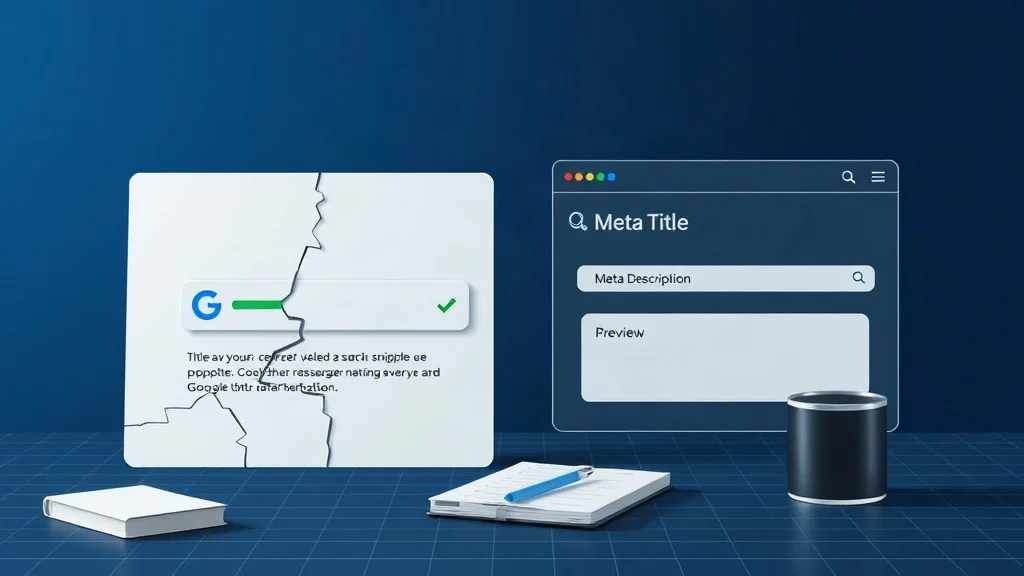
Your Shopify or WooCommerce store has hundreds of product pages. Google indexes them. Shoppers find them. Yet in the search results, dozens of those listings show the same grey, generic snippet , or worse, a random slice of your shipping policy, an “Add to cart” fragment, or a line lifted from your footer. That is not a content problem. It is a metadata problem, and it is quietly costing you clicks you already earned.
Meta descriptions do not directly move rankings. They move people. And in e-commerce, people are the entire funnel. This piece breaks down why both Shopify and WooCommerce leave this gap wide open, what it costs you, and how to close it across an entire catalogue in a single sitting using a free meta tag generator.
Why a Missing Meta Description Hurts More Than You Think
An empty meta description is not an error Google punishes. It is an opportunity you hand to a machine. When the field is blank, Google assembles a snippet on its own, pulling from whatever text on the page it believes is most relevant to the query. Sometimes that works out. Often it produces a Frankenstein sentence stitched together from your delivery policy, a sidebar link, and a cookie notice.
The damage shows up in the metric that actually pays the bills: click-through rate. Picture a shopper searching for “ceramic pour-over coffee dripper.” Two listings appear side by side, ranked almost identically. One shows a tidy, benefit-led sentence. The other shows a truncated paragraph about free shipping over $50. Same position. Very different click.
There is a second cost that store owners rarely notice. When you skip descriptions across a large catalogue, you also skip the discipline of writing them , which means you never pause to ask what a given product page is actually for, who it serves, and which search intent it should win. Missing metadata is often a symptom of a page that has no clear job.
Google’s own documentation on snippet construction makes the rules clear: it treats descriptions as suggestions rather than commands. That is precisely why a well-written one matters , you are competing to be the suggestion Google chooses. You can read Google’s guidance on how snippets are generated for the full picture.
Stop guessing what Google will show. Our AI meta tag generator writes intent-aligned title tags and descriptions for product, service, and blog pages , and previews exactly how they will look in search and on social.
Explore Advanced Meta Tag Generator – Free SEO Tags for Google & Social Sharing
The Shopify Problem: Great Themes, Empty Meta Fields
Shopify is not the villain here. Every product, collection, and page has an “Edit website SEO” panel with dedicated fields for the SEO title and meta description. The problem is that the panel is buried, optional, and invisible until you scroll past the pricing and inventory sections.
So what happens in practice? A merchant imports 400 SKUs from a supplier spreadsheet. Titles and prices land. Images land. The meta description field stays empty across the board. The theme then renders whatever fallback its developer wrote , usually {{ page_description }}, which outputs the first chunk of your product copy, HTML tags and all.
Now imagine that copy opens with “Ships in 2 – 3 business days. Available in six colours.” That is not a value proposition. It is logistics. And it is now your public first impression on hundreds of search results.
The WooCommerce Problem: Plugins, Bloat, and the CSV Trap
WooCommerce stores usually have the opposite issue: too many fallbacks, and none of them good. SEO plugins like Yoast or Rank Math will auto-generate a description from the product’s short or long description when the field is empty. That sounds helpful until you inspect what they generate , raw shortcodes, size-chart tables, bulked-out specs, or a sentence that runs to 320 characters and gets cut mid-word.
The alternative most agencies reach for is bulk CSV editing. Export products, add a column, paste something in, re-import. It works, but it is fragile: a mis-mapped column can overwrite short descriptions, and the text you paste is generic enough to be worthless. Forty identical descriptions across a category is not optimisation , it is duplication with extra steps.
Both platforms share the same underlying gap: there is no native, fast, per-page way to write copy that matches search intent at scale.
How to Generate SEO-Friendly Tags in Minutes (Step-by-Step)
Here is the workflow we recommend to merchants and creators who need this fixed today, not next quarter.
Step 1 , Pick your highest-traffic 20 pages first. Open Search Console, sort Pages by impressions, and export the top twenty. Those are the URLs where a better snippet produces the fastest measurable lift. Do not start with page 47 of your catalogue.
Step 2 , Identify the search intent for each page. Is this product bought by someone who already knows what they want (transactional), or by someone still comparing options (commercial research)? A dripper aimed at enthusiasts needs a different sentence than a budget starter kit.
Step 3 , Feed the tool your raw inputs. Open the Advanced Meta Tag Generator and enter three things: a plain-language description of the product or page, your brand name, and your website URL. No keyword research degree required , describe the offer the way you would to a customer standing in front of you.
Step 4 , Review the generated title and description pair. You will get an SEO-friendly title tag that respects pixel width and a meta description that leads with the benefit and closes with an action. Check the preview panel: if it truncates awkwardly, tighten the input description and regenerate.
Step 5 , Sanity-check intent alignment. Ask one question: if someone searched this exact phrase, would they feel this snippet answered them? If the answer is no, the wording is wrong even if the grammar is perfect.
Step 6 , Paste and publish. Shopify: scroll to Edit website SEO and drop the strings in. WooCommerce: paste into the SEO plugin’s meta description and title fields. Roughly ninety seconds per page once you have a rhythm.
Twenty pages in an afternoon. Because the generator handles the phrasing and length constraints, your only job is judgement , which takes minutes, not billable hours.
Explore Advanced Meta Tag Generator – Free SEO Tags for Google & Social Sharing
What Good Looks Like: Three Before-and-After Scenarios
Scenario one , a homeware Shopify store. 412 products, all imported from a wholesaler feed. The meta descriptions were blank, so Google was pulling the supplier’s boilerplate, which included the words “bulk enquiry welcome.” After generating intent-led descriptions for the top 30 products, the store’s branded search impressions held steady while non-branded product clicks rose , because the snippets finally sounded like products, not a trade catalogue.
Scenario two , a WooCommerce supplements brand. Their SEO plugin was auto-filling descriptions from long copy that opened with a regulatory disclaimer. Every snippet read like a legal notice. Rewriting the top 25 pages with benefit-first descriptions, then letting the tool handle the phrasing under 155 characters, turned those listings from warnings into invitations.
Scenario three , a blog and landing page mix. A creator’s site had well-optimised posts but thin descriptions throughout the service pages. Generating a consistent set of title tags and descriptions meant the whole site finally looked and read like one brand, rather than a patchwork of formats.

Scaling Across Hundreds of SKUs Without Losing Your Voice
Once the first twenty pages prove the pattern, scale deliberately. Work in batches of twenty-five by category, because products in the same category usually share a buyer profile , which means they can share a tone while keeping distinct wording.
Build a simple reference file: page URL, target intent, generated title, generated description, publish date. This gives you an audit trail and makes it obvious when a description has drifted stale after a price, bundle, or positioning change.
Two rules keep quality high. First, never publish two identical descriptions , vary the benefit, the audience, or the use case. Second, treat metadata as part of the product, not a one-time SEO chore. When a product page changes, its snippet should change with it.
For teams without a dedicated SEO hire, this is where a free tool stops being a shortcut and starts being infrastructure. The same generator that fixed your twenty pages will keep fixing them as your catalogue grows.
Frequently Asked Questions
Do meta descriptions still matter for SEO in 2025?
They are not a direct ranking factor, but they influence click-through rate, and click-through rate shapes the traffic your rankings are actually worth. Google may rewrite your description, but a strong one dramatically increases the odds it uses yours.
Why are my Shopify meta descriptions missing?
Because the SEO fields in Shopify’s product editor are optional and easy to skip during bulk imports. When left empty, your theme or Google fills the gap with whatever text is available , usually your product copy’s first sentence.
Can I fix WooCommerce meta descriptions without a developer?
Yes. No code or plugin conflict is required. Generate the description text externally, then paste it into your SEO plugin’s meta description field on each product or page. Twenty pages typically takes under an hour.

A Personal Note From Collins E. Iyorah, Founder of XealBrax
I built XealBrax because creators, bloggers, and small businesses shouldn’t have to piece together fragmented tools to grow online. Whether you are optimizing your website performance, utilizing our AI-driven utilities, or scaling through our Creator Network, our goal is to give you a transparent, penalty-free path to digital success. If you want a complete look at how we help brands scale, read my personal guide to get started.